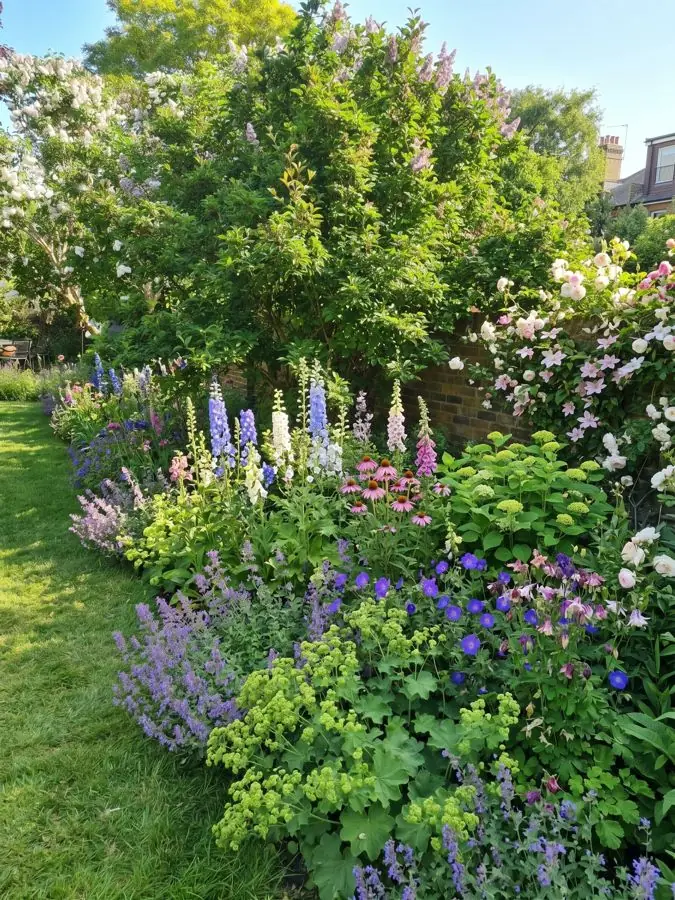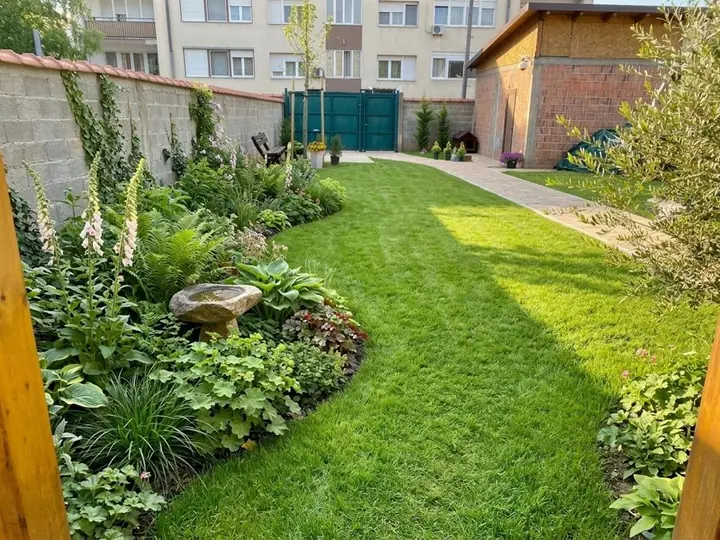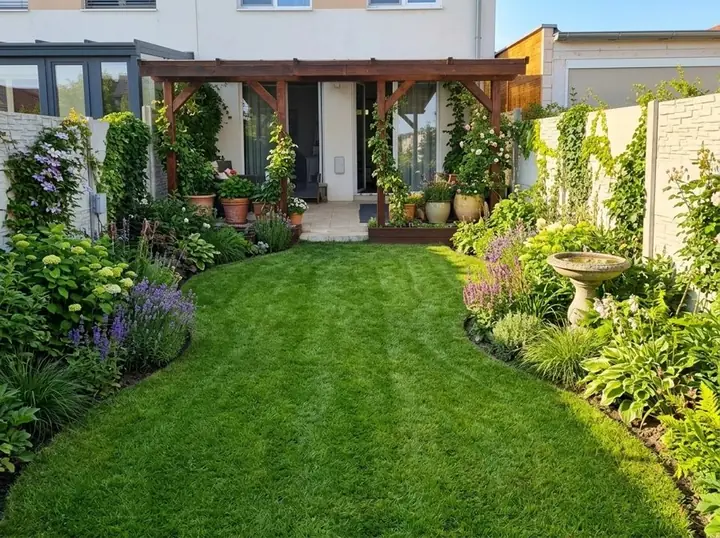
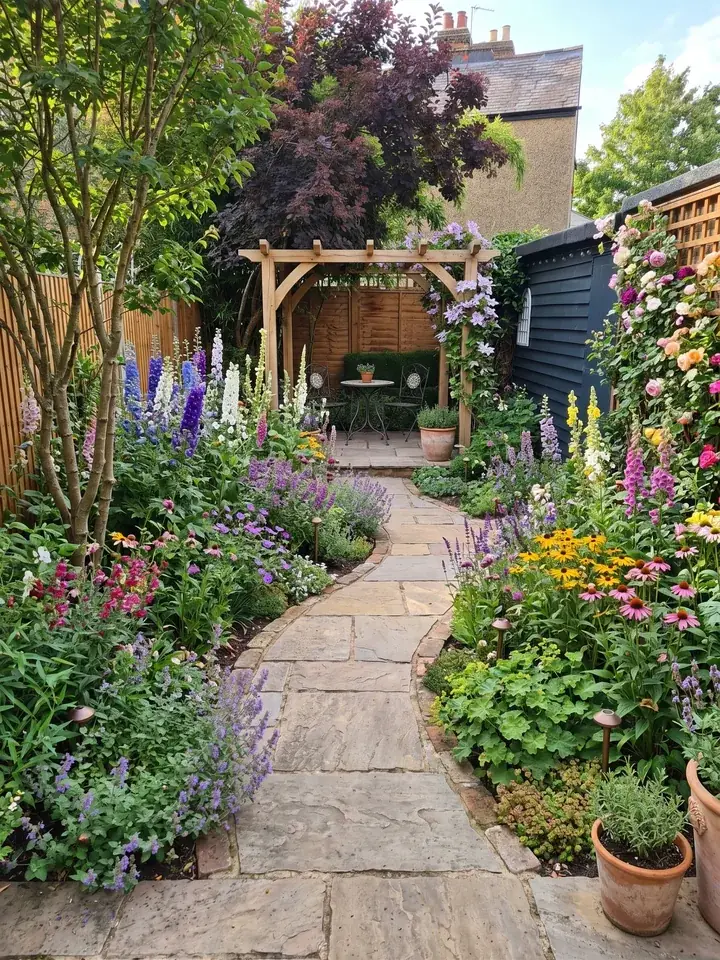
What AI can do for your garden
So, can AI design my garden from a photo? Yes, and one photo from your phone is all it needs to start. Add a photo of your garden, pick one of 15 styles or a colour scheme, or describe the look in your own words, and in about a minute you see the same garden, planted. Your trees, fences and house stay, and you choose whether the patio and paths stay too.
You can give the whole garden an AI garden makeover, or mark and measure one tired border and see just that bed replanted. Then change it in plain words, like "make the path wider and add a bench", and see it redrawn. Looking for AI garden ideas rather than a finished plan? Each design takes about a minute, so you can try a cottage border and a modern one on the same garden before you decide.
What you see is an artist's impression of your garden at its peak, in full flower. With Pro or Max plans, a design you love comes with a professional planting plan: every plant named, with the pot size to buy and how tall it grows, plus a care guide and a flowering calendar. The plants are garden centre favourites and RHS Award of Garden Merit winners, chosen by a professional gardener and matched to your climate, your light and your soil.
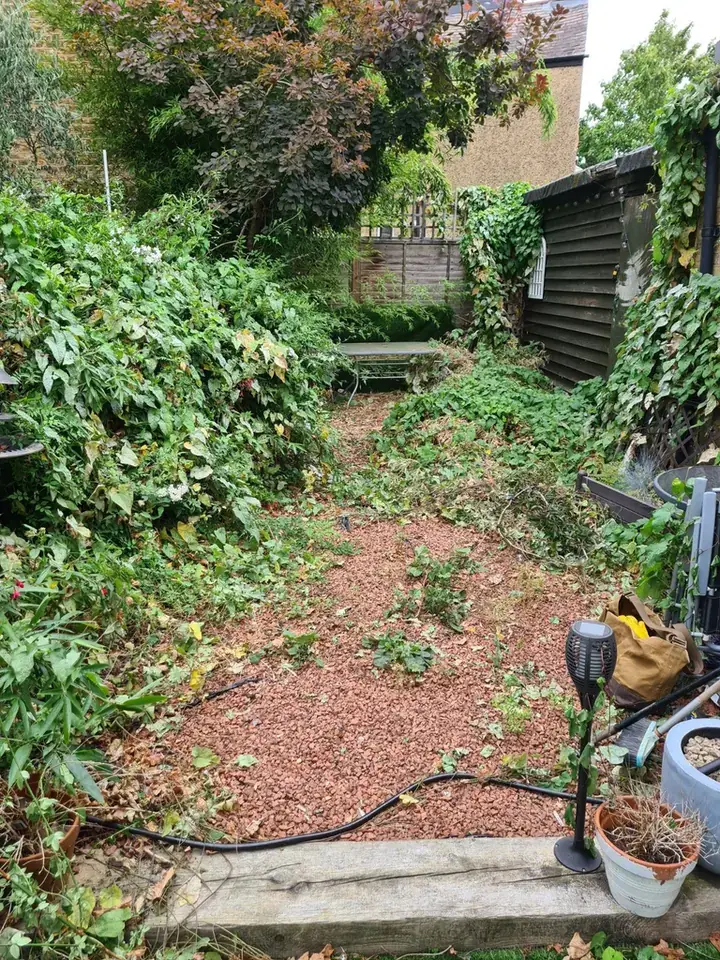
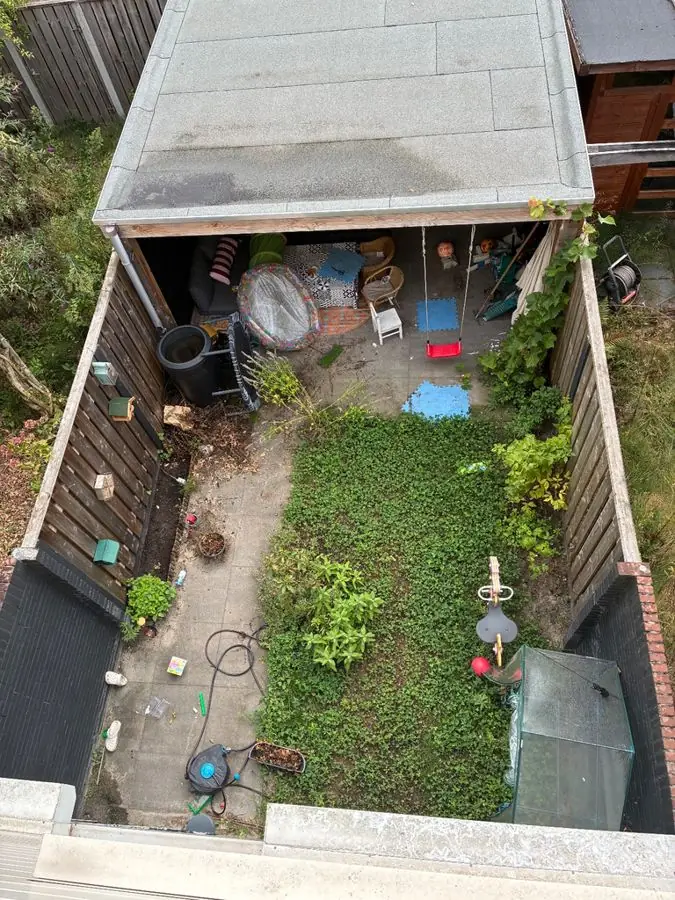 Before
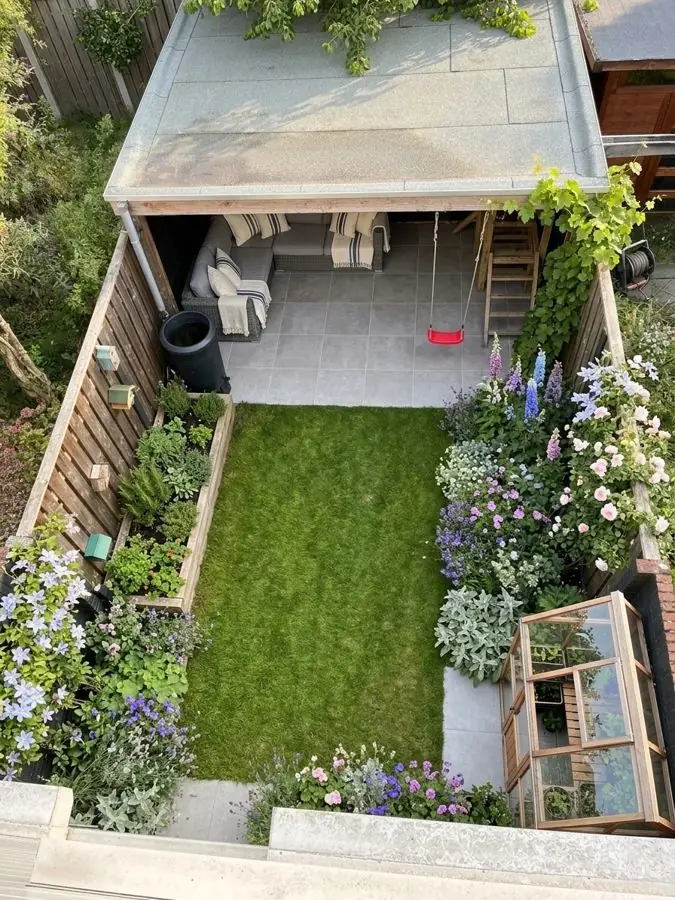 After
What AI leaves to you, or a professional, on site
AI works from what your photo shows, so a few jobs still happen in the garden itself.
- Standing in the garden: feeling the wind and seeing where the sun falls at four in the afternoon.
- Checking levels and drainage: how far the ground falls, where water sits in winter, and what is under the soil, such as drains, cables, old foundations and tree roots.
- Building it: paving, walls, steps and planting, dug, laid and planted by you or a landscaper.
- Growing it in: the picture shows your garden at its peak, in full flower, and your real garden changes through the seasons. That is why a planting plan with a flowering calendar matters more than the picture.
Chatbots, image apps and garden apps do different jobs
"AI" covers very different tools. Here is what each kind gives you, and when each is the better pick.
| Kind of AI tool | What you get | What to watch for | Best for |
|---|---|---|---|
| A general chatbot, such as ChatGPT | Ask it for ideas, plant lists and a layout in words. ChatGPT can also make pictures and edit a photo you upload, on every plan, OpenAI says | Give it your soil and light, and check its plant picks: OpenAI says it can sound confident when it is wrong | Talking through ideas and questions |
| An AI image app | A restyled picture of a garden | Whether the plants in the picture are real, named and right for where you live: check before you buy anything | A quick feel for a look |
| A garden app with a planting plan, such as Garden Design App | Your own garden redesigned from one photo, then a plan naming every plant, with pot size and height | It shows the design; levels, drainage and the build are still a job for people | Deciding what to plant, and taking a list to the garden centre |
Where ChatGPT fits
A chatbot is a good place to think out loud, and it works best when you give it the facts about your garden. Our guide to using ChatGPT for your garden covers what it does well, where it falls short and how to ask it.
How to get a good result: the photo you take
Every design starts from your photo, so a few minutes spent on it pays back in every design you make.
- Use your phone. A normal phone photo is perfect; you do not need a special camera.
- Small and simple garden? Take the whole garden in one photo. Larger or more complex? Take one border at a time, because each bed has its own light and soil.
- Stand where you usually look at the garden from, such as the back door or the patio, so the redesign shows the view you live with.
- Take it in daylight, with the ground in view, so the beds, paths and edges are easy to read.
- Choose what stays. Your trees, fences and house always stay; say whether the patio and paths stay too.
- Ask for what you want in your own words, like "add a wildlife pond", and try more than one style before you choose.
More on photos
Short answers to the common questions are in our FAQ: Do I need a special photo or camera?
When you still want a garden designer
Sometimes a person is the right call. A garden designer can visit, measure and oversee the build. That matters most on a sloping garden that needs levels and steps, a garden with drainage problems, a big build with new walls or a patio, or when you want someone to take the whole job on.
AI and a designer work well together. Bring the designs you liked to your first meeting, so the designer sees the look you want straight away. Garden designers and landscapers can use the app the same way with their own clients, on the Business or Studio plan.
Weighing it up? Our page on what a garden designer costs, and when you need one sets it out.
What it costs
Garden Design App's own prices: home plans read 13 November 2026, plans for firms from their launch on 16 November 2026.
| Plan | Price | What you get |
|---|---|---|
| Free | £0, no card | Your first 3 designs |
| Pro | £29, paid once | 20 designs over 14 days, 5 free on top, 2 at once, with planting plans |
| Max | £49, paid once | 50 designs over 30 days, 10 free on top, 4 at once, with planting plans |
| Business, for firms | £149 a month | 120 credits a month (a picture uses 1), 4 designs at once, your firm's name and logo on the plan, no watermark |
| Studio, for firms | £399 a month | 350 credits a month, 8 designs at once, your firm's name and logo on the plan, no watermark |
Why use Garden Design App?
You don’t need to know the name of a single plant.
Your own garden, from one photo
One photo from your phone is all it takes. Your real garden, planted, in about a minute.
Ask for anything you want
Pick one of 15 styles and a colour scheme, then ask for anything you want, like “add a wildlife pond”.
The garden stays familiar
Your trees, fences and house stay, and you choose whether the patio and paths stay too.
Plants you can find
Garden centre favourites and RHS Award of Garden Merit winners, chosen by a professional gardener.
Right for where you live
UK, US or anywhere else: plants matched to your climate, your light and your soil, so they thrive.
Help beyond planting day
Every paid design comes with a care guide and a flowering calendar.
Questions people ask
Can AI design my garden for free?
Yes, to start. Your first 3 designs are free, with no card needed. The planting plan, with every plant named, comes with the Pro (£29) or Max (£49) plans, each paid once. To compare it with other free garden design apps in the UK, see our guide to the best garden design apps.
How do I use AI to create a garden?
Start with one photo of your garden, taken on your phone. Add it to a garden app such as Garden Design App, choose one of 15 styles or describe the look in your own words, and in about a minute you see the same garden redesigned. Change it in plain words until it feels right. With Pro or Max plans, a design you love comes with a planting plan naming every plant, with a care guide and a flowering calendar. Then take the plant list to the garden centre, or hand the plan to a landscaper for the build.
Can ChatGPT do landscape design?
It can help. You can ask ChatGPT for ideas, plant lists and a layout in words, and it can make and edit pictures. Give it your soil and light, and check its plant picks: OpenAI's own help pages say it can sound confident when it is wrong. Our guide to using ChatGPT for your garden shows how to ask it well.
Which AI tool is best for garden design?
The one that fits the job. To talk through ideas, a chatbot is quick and free to try. To see your own garden redesigned and get a list of plants you can buy, use a garden app that gives a planting plan, such as Garden Design App. For levels, drainage and a build, use a garden designer or landscaper.
Will AI replace garden designers?
They do different jobs. AI can show ideas on your own garden in about a minute; a designer can visit, measure and oversee the build. AI is a good way to find the look you like before you talk to a designer or landscaper.
Does it work for gardens outside the UK?
Yes. UK, US or anywhere else: the app takes your location and picks plants that will thrive in your conditions.
Do I need to download an app?
No. Open it in your phone's browser; it works the same on a phone, tablet or computer.
Sources (6)
- Garden Design App, homepage (prices, how it works, questions), read 13 November 2026
- Garden Design App, Do I need a special photo or camera?, read 13 November 2026
- OpenAI Help Center, Images in ChatGPT, read 13 November 2026
- OpenAI Help Center, Does ChatGPT tell the truth?, read 13 November 2026
- OpenAI Help Center, ChatGPT Image Inputs FAQ, read 13 November 2026
- Garden Design App: plans for firms (the Business side of the prices on our homepage), read 16 November 2026