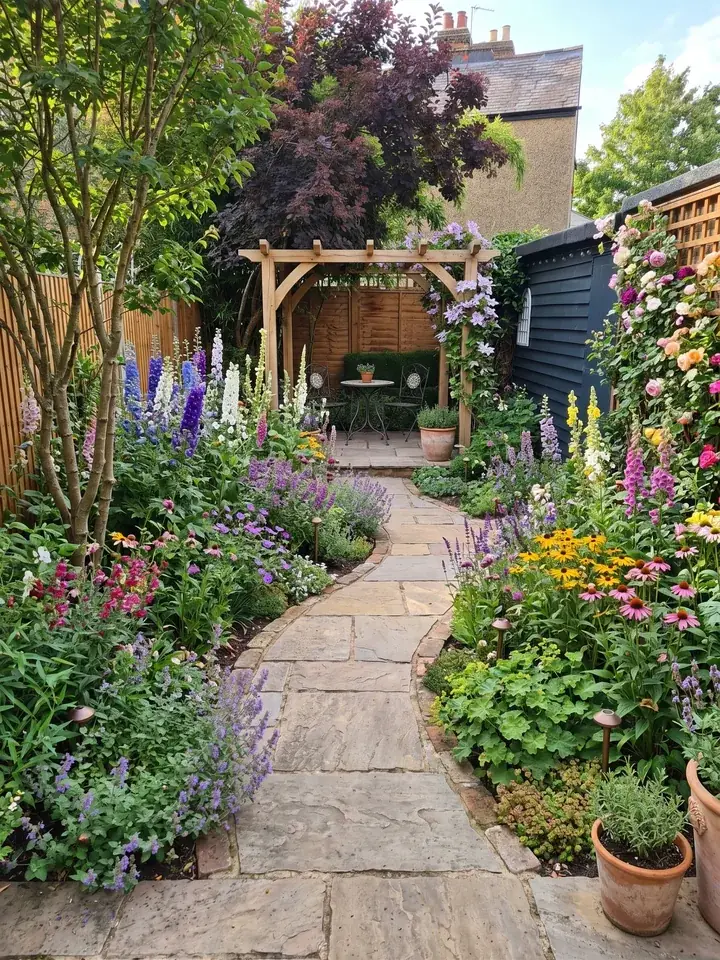
The best garden design apps compared
There is no single best app to design a garden, because these apps do different jobs. Some show your own garden redesigned from a photo. Some let you draw a plan from above, to scale. Some are for ideas, and one tells you what grows well in British gardens. The table puts ten side by side, then each section below picks the best for one job.
How we chose: we read each app's own website on 13 November 2026 for its price and what it does, and every price below comes from that read. Where a price was not on the pages we read, we say 'see their site'.
| App | Free? | Works from a photo of your garden? | Planting plan? | Plants for UK conditions? | Price (read 13 Nov 2026) |
|---|---|---|---|---|---|
| Garden Design App (ours) | First 3 designs free, no card | Yes: one photo, redesigned in about a minute | Yes, with Pro or Max plans: every plant named, with pot size and height | Yes: picked for where you live, UK, US or anywhere else | Pro £29, Max £49, paid once |
| Neighborbrite | Yes, a free plan with limited designs | Yes: upload a photo of your garden | Plant lists with Pro | Pro plant lists are matched to your climate, hardiness zone and sun | Pro: see their site |
| iScape | Free download and trial, limited features | Yes: you place plants and paving on a picture of your garden (uploading your own pictures is listed under Pro) | Not listed: you place plants yourself | Not stated | Pro US$29.99 a month or US$299.99 a year |
| Gardena myGarden | Free | You draw your garden from above | You draw it yourself | Not stated | Free |
| Planner 5D | Free plan | You draw the plot in 2D, then see it in 3D | You draw it yourself | Not stated | Premium £59.99 a year after a trial |
| SketchUp for Web | Free, no subscription needed | You model the garden in 3D | You model it yourself | Not stated (a general 3D tool) | Paid plans from US$10.75 a month, billed yearly |
| Garden Planner (smallblueprinter.com) | Free trial, no need to sign up | You draw a plan on a Windows or Mac computer | You draw it; it lists your plants | Not stated | Paid once: US$24 in a half price sale ending 15 Nov; see their site for the full price |
| RHS Grow | Free download, with 2 free plant identifications; care tips and the combination builder need Premium | Not on its page (its plant identifier works from a photo of one plant) | Not stated; Premium finds plants that look good and grow well in your space | Yes: built around British growing conditions | Premium £2.99 a month, or a free trial then £29.99 a year |
| Houzz | See their site | Not stated: its photos are of other people's homes and gardens | Not stated | Not stated | See their site |
| ChatGPT | Free plan | Yes: upload a photo and ask for an edited picture | Not stated; OpenAI says its answers can be wrong | Not stated | Free plan; paid plans: see their site |
Best from a photo of your garden: the AI apps
If you would rather see your own garden changed than draw a plan, start here. These apps work from a picture of the garden you have, so you judge a new look against your own fences, paths and trees. When people ask for the best AI garden design app, this is usually the job they mean. If you are comparing AI tools for landscape design, Garden Design App and Neighborbrite are the two here built for gardens; iScape, after them, has you place everything by hand.
Garden Design App: best for a planting plan with plants for where you live
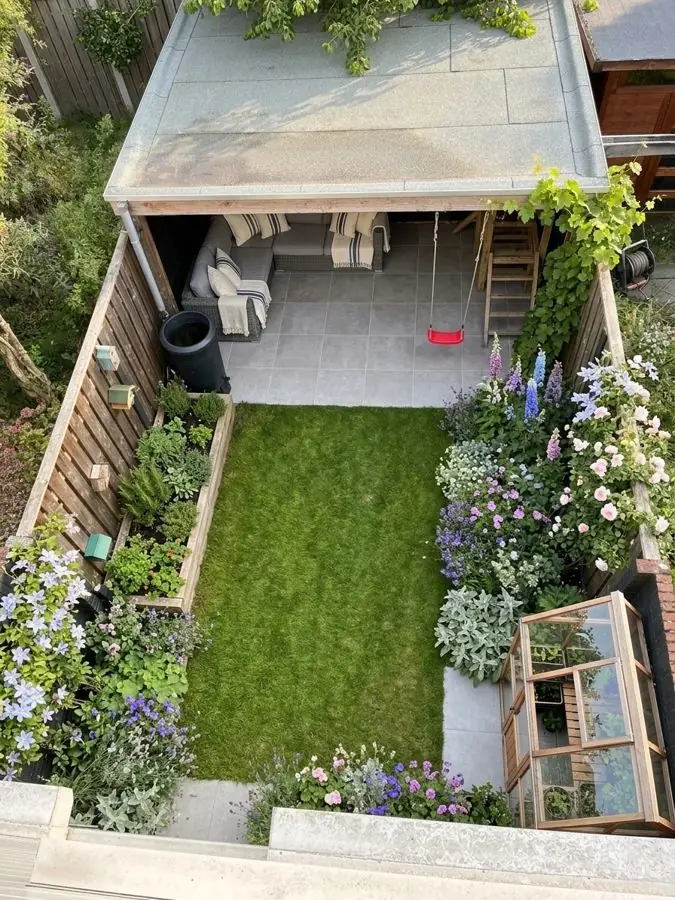
We make this one, so read it as our own account. Add a photo of your garden, pick one of 15 styles or a colour scheme, or describe the look in your own words, and in about a minute you see the same garden redesigned, in full flower. Your trees, fences and house stay put. Then change it in plain words, like 'add a wildlife pond', and see it redrawn. Photograph the whole garden, or one border at a time if the garden is large; a normal phone photo is enough.
Plants are picked to thrive where you live, in your light and soil: the UK, the US or anywhere else. They are garden centre favourites and RHS Award of Garden Merit winners, chosen by a professional gardener. With Pro or Max plans (Pro £29 for 20 designs over 14 days, Max £49 for 50 over 30 days), each paid once, a design you love comes with a planting plan: every plant named, the pot size to buy and how tall it grows, with a care guide and a flowering calendar.
Where it falls short: the free designs do not include the planting plan, and what you see is an artist's impression of the garden at its peak, not a measured drawing. If you need a plan to scale, pair it with one of the planners further down. It runs in your browser on a phone, tablet or computer, with nothing to download; more on that on our garden planner app page.
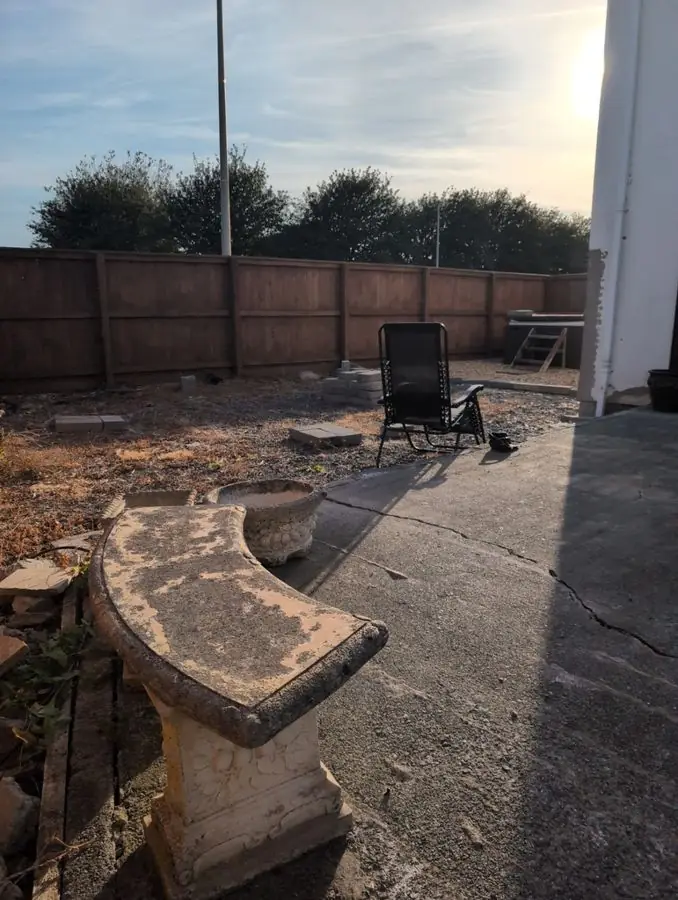 Before
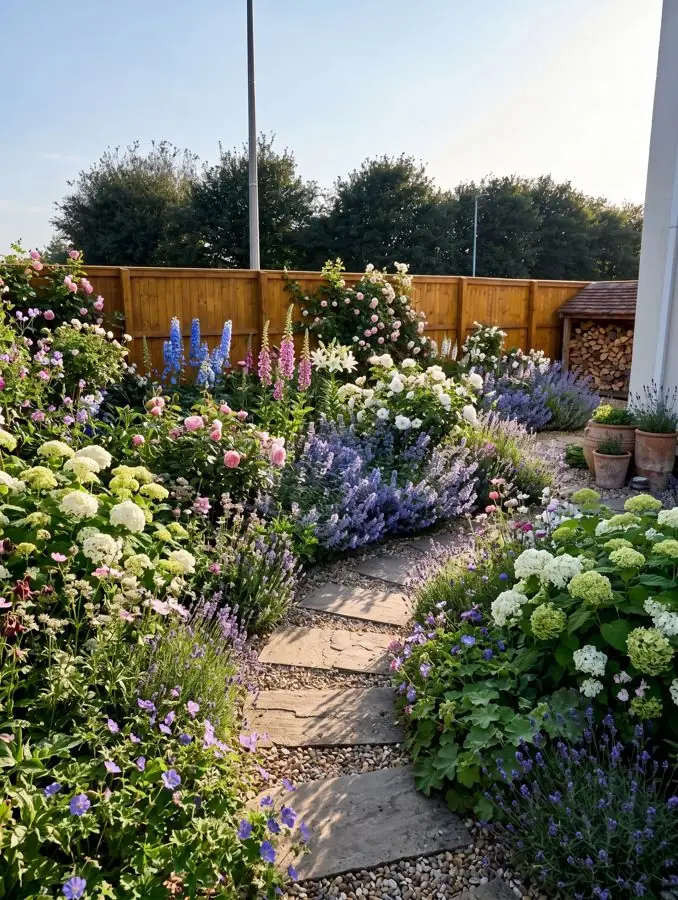 After
Neighborbrite: best for AI editing tools
Neighborbrite works the same way: upload a photo of your garden, choose a style and see a new design. It says it has more than 850,000 registered users in over 170 countries. Its free plan covers several styles, downloads and 'More Like This' variations, with no app to install.
Pro adds AI editing, adding elements from more than 5,000 plants plus pergolas, fire pits and water features, plant identification, and plant lists matched to your climate, hardiness zone and sunlight. It also sells design packages drawn up by a professional. Pick it if you want lots of control over the AI picture. Its Pro price was not on the pages we read, so see their site.
iScape: best for placing plants and paving by hand
iScape, which says nearly 4 million people have used it, lets you do the work by hand: you drag plants, paving, furniture and other pieces from its library onto a picture of your garden, or design in augmented reality on your phone, then share the result. It suits anyone who wants to choose every plant and paver themselves.
It is free to download and try, with limited features. Pro, with full access to its library and uploading your own pictures, is US$29.99 a month or US$299.99 a year. Its pricing page lists 2D and 3D design as iOS only, so check before you rely on it on Android.
The best free garden design app
Free means different things in this list. Some apps are free for good, some give you a few designs, and some are free trials. The best free garden design app for you depends on whether you want a picture of your garden or a plan of it.
- Free for good, for a plan: Gardena myGarden and SketchUp for Web cost nothing, and Planner 5D has a free plan with thousands of garden objects.
- Free to try, from a photo: Garden Design App gives you 3 designs free with no card, and Neighborbrite has a free plan with limited designs. Both keep their detailed plant lists for paid plans.
- Free trials: iScape (limited features), Garden Planner (no need to sign up) and RHS Grow's Premium.
- Free, with care: ChatGPT's free plan can take a photo of your garden and return an edited picture (more on it below).
So which free app should you start with?
For drawing, the best free garden planner app is Gardena myGarden if you want your garden to scale in metres, or Planner 5D if you want to see it in 3D. To see your own garden redesigned before you spend anything, start with the free designs on our free garden planner.
Best for drawing a plan to scale
If you are laying out a new patio, beds and paths and want the measurements right, the best garden planning app is one that draws from above, to scale. These do that job better than any photo app, ours included.
Gardena myGarden: best free planner to scale
Gardena's planner is a free web app with a hand drawn look. You draw lawn, beds, gravel and water, then drag in plants, furniture and buildings. A measuring scale sits in the bottom corner and each grid square is one metre by one metre. You can start from one of Gardena's example gardens, and its sprinkler planner suggests a Gardena watering system, with a free planning sketch and shopping list. Gardena says it works best on a tablet, laptop or PC, and you can open your plans on a phone.
Planner 5D: best for seeing the plan in 3D
Planner 5D lets you draw the shape of your garden, arrange lawn, paths, beds, patios and decks with drag and drop, then switch from 2D to 3D with one click. It runs in a browser and as an app for Windows, macOS, iOS and Android. The free plan includes thousands of garden objects; Premium adds more items and unlimited HD pictures for £59.99 a year after a trial.
Garden Planner: best to buy once for a computer
Garden Planner, from smallblueprinter.com, calls itself good old fashioned software: you pay once, with no subscription, and keep it. It has over 2,100 plant and object symbols, tools for paving, decking, paths, walls, fences and ponds, a vegetable patch builder, a list of every plant and object in your plan, and a 3D view to walk through. It runs on Windows and Mac, with a free trial you can start without signing up. When we read it on 13 November it was US$24 in a half price sale ending 15 November, so see their site for today's price.
SketchUp for Web: best for full 3D control
SketchUp is a general 3D modelling tool rather than a garden app: you build the garden as a 3D model yourself. SketchUp for Web needs no subscription, just a web browser and a Trimble ID. Paid plans start at US$10.75 a month, billed yearly, for Go (iPad and web).
Best for garden ideas
If you do not know what you want yet, start by looking, then try the looks you like on your own garden.
Houzz: best for photos of real gardens
Houzz has photos of homes and gardens to browse, with sections for gardens, small gardens, patios and balconies, before and after stories, and a directory of garden designers and gardeners near you. Use it to collect the looks you like, and to find a designer if you want one. For its prices, see their site.
ChatGPT: best for a quick picture idea
You can upload a photo of your garden and ask ChatGPT about it, and on every plan, the free one included, it can create or edit a picture: describe the change you want. It is a general assistant, not a garden tool, and OpenAI's help pages say it can give wrong answers with confidence, so check plant names with a garden centre or the RHS before you buy. There is more on what AI can and cannot do in Can AI design my garden?
Best for knowing what will grow in a UK garden
Most of the apps above do not say how they match plants to your conditions. Three do: RHS Grow is built around British gardens; Garden Design App picks plants for where you live (above); and Neighborbrite's Pro plant lists are matched to your climate, hardiness zone and sunlight.
RHS Grow: best for checking plants for UK conditions
The Royal Horticultural Society's app is built around British weather, seasons and soils, with details on more than 35,000 plants. The free download lets you browse plants and articles, keep plant lists and identify 2 plants free. Premium adds plant identification from a photo, care reminders, a garden journal, an AI chatbot called ChatBotanist and a plant combination builder that finds plants that look good and grow well in your space. Premium is £2.99 a month, or a free trial then £29.99 a year.
It also lists a Garden Planner among its tools for shaping your space. Its strength is the plants: a sensible pairing is to see a design first, then look up any plant you are unsure of in RHS Grow.
How to choose the right garden design app for you
The best garden design app UK gardeners can pick depends on the job. Six questions settle it.
- A picture or a plan? A picture of your own garden redesigned helps you decide what you want. A plan to scale helps you build it. Plenty of people use one of each.
- Check what free really includes. Free designs, free plans and free trials all stop somewhere: at saving, at the plant list, or after a few designs.
- Look for plants that suit your garden. An app that names plants should say how it picks them for your climate, light and soil.
- Check your device. On an iPhone or Android phone, Garden Design App opens in your phone's browser with nothing to download, and Planner 5D runs in a browser and has apps for iOS and Android. iScape lists its 2D and 3D design as iOS only; Garden Planner is for Windows and Mac; Gardena works best on a tablet or computer; Neighborbrite and SketchUp for Web also run in a browser.
- Paid once or every month? Garden Design App and Garden Planner are paid once. iScape, Planner 5D, SketchUp and RHS Grow's Premium are subscriptions.
- Changing only the patio? Marshalls' Outdoor Reality app lets you try its paving on your patio or driveway from a phone or tablet.
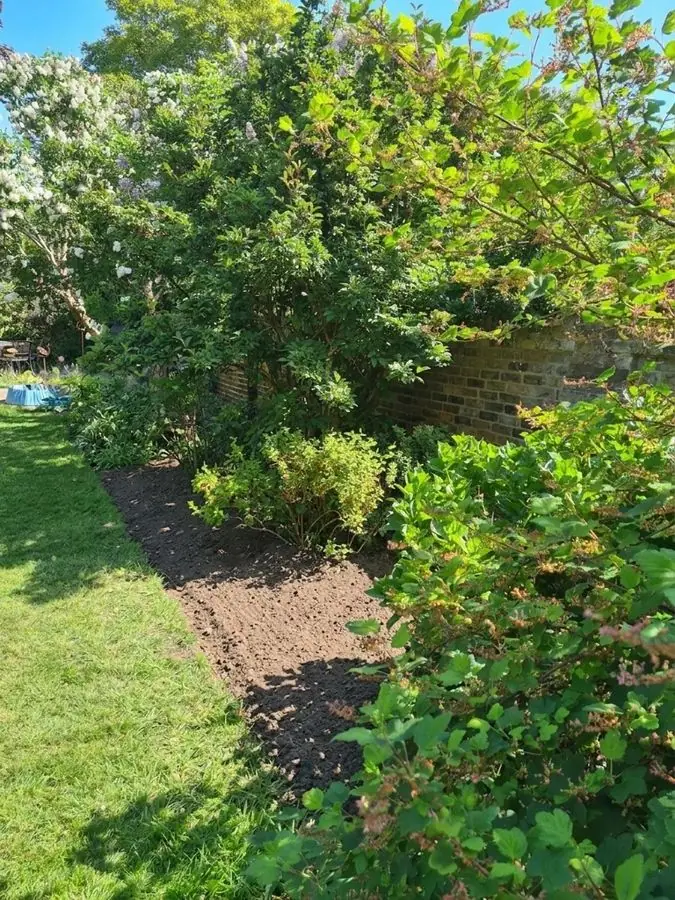 Before
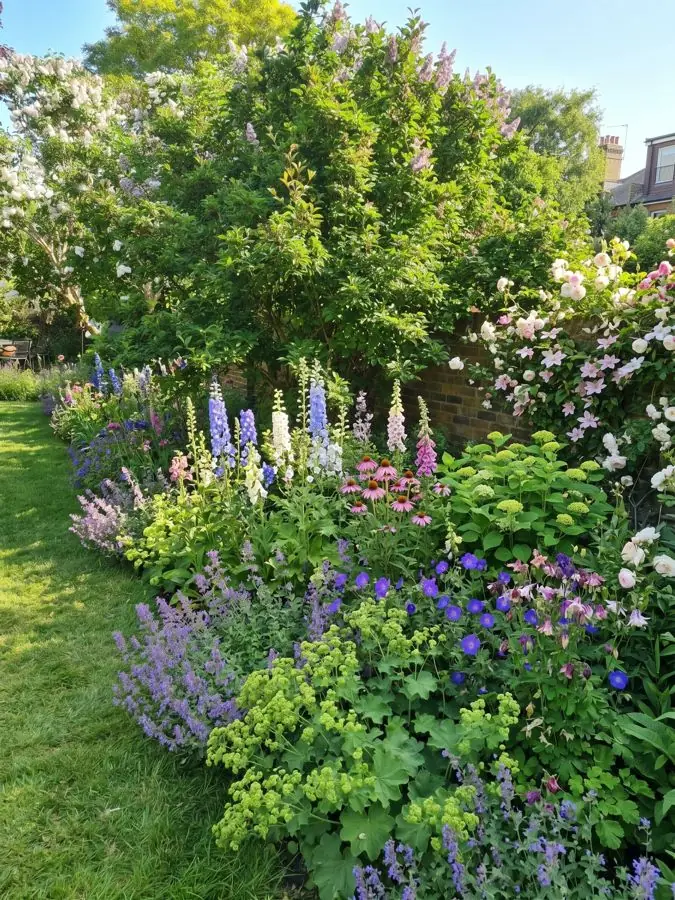 After
Why use Garden Design App?
You don’t need to know the name of a single plant.
Your own garden, from one photo
One photo from your phone is all it takes. Your real garden, planted, in about a minute.
Ask for anything you want
Pick one of 15 styles and a colour scheme, then ask for anything you want, like “add a wildlife pond”.
The garden stays familiar
Your trees, fences and house stay, and you choose whether the patio and paths stay too.
Plants you can find
Garden centre favourites and RHS Award of Garden Merit winners, chosen by a professional gardener.
Right for where you live
UK, US or anywhere else: plants matched to your climate, your light and your soil, so they thrive.
Help beyond planting day
Every paid design comes with a care guide and a flowering calendar.
Questions people ask
What is the best free garden design app?
For a picture of your own garden redesigned, try Garden Design App's 3 free designs (no card) or Neighborbrite's free plan. For a plan to scale, Gardena myGarden is free, and Planner 5D has a free plan with 2D and 3D views.
What is the best garden planner app?
For drawing a garden layout from above, Gardena myGarden (free, to scale in metres) and Planner 5D (2D and 3D, free plan) are both free to start. Garden Planner is paid once, for a Windows or Mac computer. To see the garden redesigned rather than drawn, use a photo app such as Garden Design App or Neighborbrite.
What is the best AI garden design app?
One that starts from a photo of your own garden and tells you what to plant. Garden Design App and Neighborbrite both redesign your garden from one photo. Ours picks plants for where you live from garden centre favourites and RHS Award of Garden Merit winners; Neighborbrite's Pro plant lists match your climate, hardiness zone and sunlight. ChatGPT can edit a garden photo too, but it is not built for gardens.
Is there a free AI garden designer?
Yes, to try. Want to try AI garden design for free? Start from a photo of your own garden: Garden Design App gives your first 3 designs free with no card, and Neighborbrite has a free plan with limited designs. ChatGPT's free plan can also edit a photo of your garden. The detailed plant lists cost extra in both garden apps.
Can I design my garden from a photo?
Yes. Add a photo of your garden to Garden Design App and you see the same garden redesigned in about a minute, with your trees, fences and house kept. Neighborbrite also works from a photo, and iScape lets you place plants and paving on one by hand. A normal phone photo is enough.
Which app shows plants for my garden?
Garden Design App names every plant in a design with Pro or Max plans, picked for where you live. RHS Grow is the one for checking plants against UK conditions, with details on more than 35,000 plants. Neighborbrite's Pro plant lists are matched to your climate, hardiness zone and sunlight.
Can ChatGPT design my garden?
It can help. Upload a photo of your garden, ask about it, and it can return an edited picture, even on the free plan. It is a general assistant rather than a garden tool, and OpenAI says it can be confidently wrong, so check every plant before you buy. More in Can AI design my garden?
Is there a truly free landscape design app?
Yes, for drawing: Gardena myGarden and SketchUp for Web cost nothing, and Planner 5D has a free plan. The photo apps here give a few free designs (Garden Design App) or a limited free plan (Neighborbrite), then charge for more designs and the full plant list.
How do I design my garden online for free?
In your browser. To draw a plan, Gardena myGarden is a free web app, Planner 5D has a free plan that runs in a browser, and SketchUp for Web needs no subscription. To see your own garden redesigned instead, add a photo of your garden to Garden Design App: your first 3 designs are free, with no card and nothing to download.
Is iScape really free?
Partly. iScape's own pricing page says the free version costs nothing to download and try, but has limited features and fewer plants, paving and products to choose from. Uploading your own pictures is listed under Pro (US$29.99 a month or US$299.99 a year), which has a trial with every feature.
Is there a free garden plan template?
Yes, inside the free planners. Gardena myGarden is a free web app, and its Edit menu can bring up templates as well as your saved gardens. Planner 5D says you can start from a template, a sketch or your own plan, and that its AI landscape design tool is free to use.
Sources (21)
- Garden Design App, homepage (prices, how it works, questions), read 13 November 2026
- Garden Design App, Do I need a special photo or camera?, read 13 November 2026
- Neighborbrite, homepage, read 13 November 2026
- Neighborbrite, 6 best landscape design apps for homeowners in 2026, read 13 November 2026
- Neighborbrite, for landscapers (plans), read 13 November 2026
- iScape, homepage, read 13 November 2026
- iScape, pricing, read 13 November 2026
- Gardena, myGarden garden planner (UK), read 13 November 2026
- Gardena, myGarden FAQ (UK), read 13 November 2026
- Planner 5D, garden planner, read 13 November 2026
- Planner 5D, pricing, read 13 November 2026
- SketchUp Help, SketchUp for Web, read 13 November 2026
- SketchUp, plans and pricing, read 13 November 2026
- smallblueprinter.com, Garden Planner, read 13 November 2026
- RHS, RHS Grow, read 13 November 2026
- Houzz UK, homepage, read 13 November 2026
- OpenAI Help, Images in ChatGPT, read 13 November 2026
- OpenAI Help, ChatGPT image inputs FAQ, read 13 November 2026
- OpenAI Help, Does ChatGPT tell the truth?, read 13 November 2026
- Marshalls, garden and driveway design tools, read 13 November 2026
- Planner 5D, landscape design software, read 13 November 2026