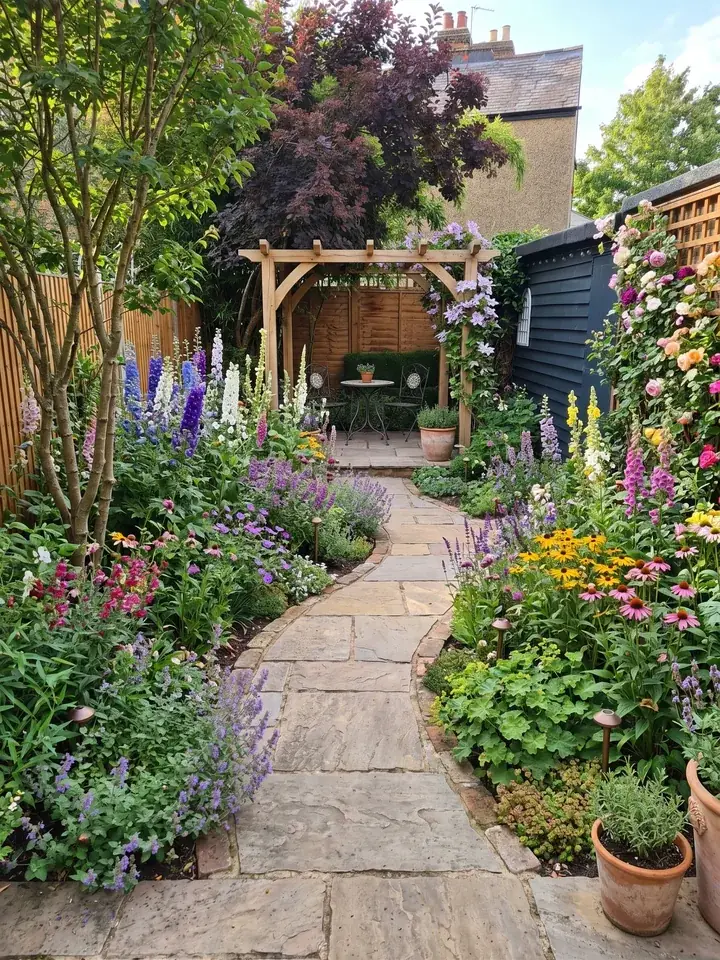
What is SketchUp good for in a garden?
SketchUp is a 3D modelling program made by Trimble. You draw shapes, pull them up into 3D and build a model of the garden. SketchUp markets its landscape design tools to landscape architects, "from planters to parks", and garden designers use it too: the Society of Garden and Landscape Designers runs a course called Complete SketchUp for Garden Designers.
SketchUp's landscape architecture page, read on 14 November 2026, lists what it offers for outdoor work:
- 3D terrain: turn contour lines into surfaces, drape hard landscaping onto uneven ground and change the existing ground.
- Imports: 2D CAD files, scan data or terrain imagery.
- Over four million ready made 3D models in 3D Warehouse, "from vegetation to vehicles".
- Geo-location: set the longitude and latitude and pull terrain imagery into the model.
- Shadow studies in real time: where shadows fall at any time of day, on any day of the year.
The garden jobs it suits best
- A sloping garden, where you need to see steps, terraces and retaining walls at the right heights.
- Decking, pergolas, raised beds and garden rooms, built to size on screen before anyone buys timber.
- Patios and paths, with real materials applied so you can judge the look.
- Where the sun falls through the day, so a seat or a sunny border goes in the right place.
How to model a garden in SketchUp, step by step
Garden design in SketchUp starts with a tape measure, not the software. Here is one order that works. The names in brackets are articles in SketchUp's own help centre (read 13 November 2026), if you want to look a step up.
- Survey and measure the garden. Measure the boundaries, the house wall with its doors and windows, any trees you are keeping and every change in level. A rough sketch with the measurements written on it is enough to start.
- Start a model and set its units to match your measurements (Managing Units of Measurement). Draw to the lengths you measured, not by eye (Using the Measurements Box).
- Bring in a 2D image of the site, such as a survey drawing or a photo, for site context (Importing and Using 2D Images; Using Your Own Image for Site Context). SketchUp's geo-location can also pull terrain imagery into the model once you set the longitude and latitude (Finding and Using Add Location).
- Draw the boundary and the levels. Start with the outline of the plot, then shape the ground: lift a terrace, cut a step, raise a bed (Pushing and Pulling Shapes into 3D; Creating 3D Terrain; Sculpting and Fine Tuning Terrain).
- Add the hard landscaping: patio, paths, walls, steps, decking and pergola. Use components for repeated parts, such as decking boards or fence posts (Editing All Instances of a Component).
- Add plants and other ready made models from 3D Warehouse (Components in 3D Warehouse). Pick trees and shrubs close to the size your plants will reach, not the size they are when planted.
- Apply materials: stone, gravel, timber, lawn (Applying Materials). SketchUp can also work out the area a material covers, which is handy for paving and gravel (Calculating Material Area).
- Sort the model with tags, for example existing, new build and planting, so you can switch each one on and off (Controlling Visibility with Tags).
- Create scenes (Creating Scenes), and run a shadow study to see where shadows will fall at any time of day, on any day of the year.
- Export for the client or the builder: pictures of the model as image files (Importing and Exporting Image Files) or, with SketchUp Pro, a scaled 2D drawing in LayOut (Exporting a SketchUp Model to LayOut; Creating a Scaled Drawing).
How long does it take to learn SketchUp for garden design?
It takes practice, and it is worth being honest about that. The basics come first: drawing, pushing and pulling shapes, and moving round the model. Terrain, components, materials and scenes come after.
The training on offer gives a sense of scale. The Society of Garden and Landscape Designers runs Complete SketchUp for Garden Designers, and Part 2 of the course alone runs over two days (26 and 27 November 2026, from its website, read 13 November). Google's first page for this search lists step by step video tutorials and a Coursera course on designing landscape gardens in SketchUp.
How long one garden takes depends on the garden: a sloping plot with walls, steps and a pergola has far more to draw than a flat plot with a patio and a lawn. None of the sources we read gives a time, so we do not give one either.
You do not have to wait until you have learnt SketchUp to see ideas. Add a photo of your garden to Garden Design App and see it redesigned in about a minute, with nothing to draw; then model the design you have chosen.
SketchUp price: which plan fits a garden?
Prices from SketchUp's plans and pricing page, read on 13 November 2026. The page showed US dollars, per user per month, billed annually, excluding tax and VAT, and says payment options may vary by location, so check the current price and payment options for where you live before you buy. We give no pound figure because the page showed none.
| Plan | Price (read 13 Nov 2026) | What SketchUp's own pages say | Fits a garden when |
|---|---|---|---|
| SketchUp for Web | No subscription needed | A web browser and a Trimble ID are all you need (help centre) | You want to try modelling a simple garden |
| SketchUp Go | $10.75 a month, billed annually | Essential 3D design, iPad and web only; 250 daily and 2,500 monthly 3D Warehouse downloads | You model on an iPad or in a browser and want more than the web version |
| SketchUp Pro | $33.25 a month, billed annually | Desktop 3D modeller, 2D drawings with LayOut, over 1,000 extensions; 1,500 daily and 15,000 monthly 3D Warehouse downloads | You design gardens for clients and need scaled drawings for the builder |
| SketchUp Studio | $71.58 a month, billed annually | Everything in Pro, plus photorealistic visuals, rendered animations and 360° panoramas; Windows only; unlimited daily and 25,000 monthly 3D Warehouse downloads | Your studio sells photoreal renders |
Before you subscribe
- Monthly plans are on offer too; the prices above are the annual ones.
- Unless SketchUp says otherwise, subscriptions renew automatically at the end of the term, for the same term, at the price at that time.
- Refunds: for an annual subscription, ask within 14 days of the original purchase or the annual renewal date; a monthly subscription can be cancelled and refunded within 7 days of the first purchase.
When Garden Design App fits better, or alongside SketchUp
SketchUp and Garden Design App do different jobs. SketchUp lets you build and explore a garden in 3D, drawn to measure, with ready made models from 3D Warehouse to start from. Garden Design App starts from a photo of the garden as it is today and shows the whole garden redesigned, so you have ideas to react to before anyone draws a line. If you came looking for a SketchUp alternative because you want ideas for your garden more than a model of it, start with the photo.
That takes the guesswork out. Add a photo of your garden, pick a style, and in about a minute you see the whole garden redesigned, so you can try a few looks and know which one you want before you spend a penny on the build. Plants are picked for where you live, in your light and soil, so the plants you buy thrive there; with Pro or Max plans every plant is named and ready to buy. Not quite right? Change the design in your own words. Your first 3 designs are free, with no card; the Pro plan is £29 and the Max plan is £49, each paid once.
- Pick SketchUp if you need exact levels, steps, walls or decking drawn to measure, or drawings a builder can work from.
- Pick SketchUp if you enjoy modelling and want to place every paving slab and post yourself.
- Pick Garden Design App if you are not sure what you want yet and would like to see your own garden redesigned in a few styles first.
- Pick Garden Design App if the planting is the hard part: the plants are chosen for your garden and, with Pro or Max plans, listed in a professional planting plan.
- Use both: settle the look and the plants in Garden Design App, then model the build in SketchUp.
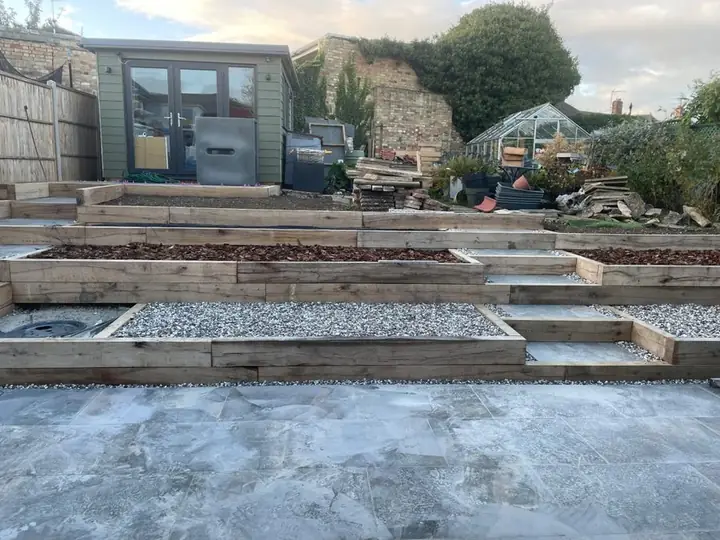 Before
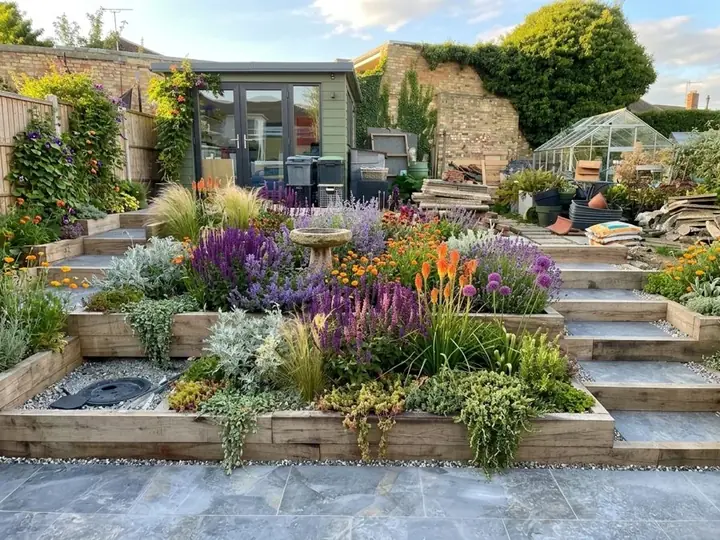 After
For garden designers and landscapers
If you draw in SketchUp, keep it for the build. Garden Design App saves you modelling designs the client turns down: at the first meeting, redesign the client's garden from a photo in about a minute, so they react to their own garden, not a blank page, and you only model the one they choose.
The Business plan is £149 a month and the Studio plan £399 a month (Garden Design App's Studio, not SketchUp's). Your firm's name and logo go on the plan and the share link, so the client remembers whose design it is; the pictures are clean with no watermark, every plant is named with care notes, and you can change any material while the client is with you. Once the client picks a direction, model the build in SketchUp. See how it works for garden designers.
Why use Garden Design App?
You don’t need to know the name of a single plant.
Your own garden, from one photo
One photo from your phone is all it takes. Your real garden, planted, in about a minute.
Ask for anything you want
Pick one of 15 styles and a colour scheme, then ask for anything you want, like “add a wildlife pond”.
The garden stays familiar
Your trees, fences and house stay, and you choose whether the patio and paths stay too.
Plants you can find
Garden centre favourites and RHS Award of Garden Merit winners, chosen by a professional gardener.
Right for where you live
UK, US or anywhere else: plants matched to your climate, your light and your soil, so they thrive.
Help beyond planting day
Every paid design comes with a care guide and a flowering calendar.
Questions people ask about SketchUp for garden design
Can SketchUp be used for garden design?
Yes. SketchUp's own landscape page says it is used "from planters to parks", and the Society of Garden and Landscape Designers runs a SketchUp course for garden designers. It is at its best for measured 3D models: levels, walls, decking, pergolas and paths.
Is SketchUp good for landscaping?
For the hard landscaping, yes. It can turn contour lines into ground surfaces, drape paving onto slopes and show where shadows fall. Plants come from 3D Warehouse as ready made models.
How do you use SketchUp for landscape design?
SketchUp landscape design can follow one order whatever the size of the site: measure it, set your units, bring in an image of the site, draw the boundary and levels, add the hard landscaping, add plants and other models from 3D Warehouse, apply materials, sort the model with tags, create scenes, then export pictures or a LayOut drawing. The steps above go through each one.
Is SketchUp free?
You can use SketchUp online without paying: SketchUp's help centre says SketchUp for Web needs no subscription, just a web browser and a Trimble ID. The plans with more features are SketchUp Go, Pro and Studio, from $10.75 a month billed annually (SketchUp's pricing page, read 13 November 2026, in US dollars, excluding tax and VAT).
Is there a SketchUp free download?
SketchUp for Web, the version SketchUp's help centre says needs no subscription, runs in a web browser, so there is nothing to install. The desktop 3D modeller comes with SketchUp Pro; SketchUp Go is iPad and web only (SketchUp's pricing page, read 13 November 2026).
How much does SketchUp Pro cost?
$33.25 a month per user, billed annually, on SketchUp's pricing page read 13 November 2026. The page showed US dollars, excluding tax and VAT, with no pound price, and says payment options may vary by location. SketchUp Pro adds the desktop 3D modeller, 2D drawings with LayOut and over 1,000 extensions.
Is there a free way to try garden ideas before using SketchUp?
Yes. Garden Design App's first 3 designs are free, with no card: add a photo of your garden and see the whole garden redesigned in about a minute, so you know the look you want before you model anything. For more on trying garden ideas for free, see our free garden planner.
Where do I find plants for a SketchUp garden?
In 3D Warehouse, SketchUp's library of ready made models, which SketchUp says holds over four million, from vegetation to vehicles. How many you can download a day and a month depends on your plan.
Sources (8)
- SketchUp, plans and pricing, read 13 November 2026
- SketchUp help centre, SketchUp for Web, read 13 November 2026
- SketchUp, landscape architecture, read 14 November 2026
- Society of Garden and Landscape Designers, homepage, read 13 November 2026
- Google UK results for 'sketchup garden design' (Serper), read 13 November 2026
- Garden Design App, homepage (UK), read 13 November 2026
- Garden Design App: plans for firms (the Business side of the prices on our homepage), read 16 November 2026
- Garden Design App, Business and Studio plans for garden firms, read 13 November 2026