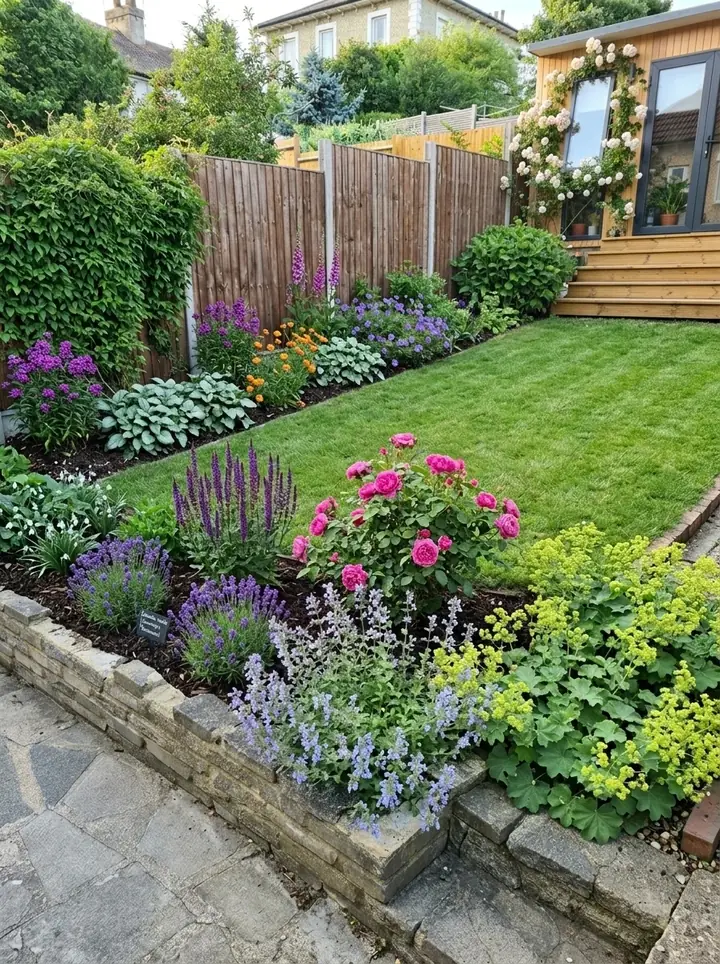
How we chose these apps
Garden Design App is made by Josh Hellicar, a professional gardener, and it is one of the apps on this list. So every entry says what that app is genuinely good at, gives the price its own website showed on November 13, 2026, and says plainly when another app is the better choice.
We read each app's own website and pricing page that day; we have not run every app on a live job. Prices are in US dollars and change often, so check before you buy. Yardbook's website would not open for us, so we give no price for it.
Search for the best software for landscapers and most of what you find is written by companies that make business software, so design gets a short section. Tofu, one of them, says in its own list: "One app rarely does both jobs well." So this list is grouped by the job each app does:
- Design and selling the job: showing the client what their yard will look like before they say yes.
- Running the business: estimates, scheduling, invoices and getting paid.
- Field and crew: job photos, time on site and the schedule your crew sees.
The best apps for landscapers at a glance
Prices from each app's own website on November 13, 2026, in US dollars. "Billed yearly" is the monthly figure when you pay for a year up front.
| App | Best for | Works on | Price (Nov 13, 2026) | Free plan, trial or terms |
|---|---|---|---|---|
| Garden Design App (ours) | The client's own yard redesigned from a photo, with a planting plan in your name | Phone, tablet or computer, in the browser | Business $199 a month; Studio $499 a month | Monthly, cancel any time |
| Neighborbrite | AI designs from a photo; estimates on its top plan | Browser and phone apps | Business $49 a month; Landscaper $149 a month | Free plan, limited designs |
| iScape | Placing products on a photo yourself, with PDF proposals | iPhone and iPad (2D and 3D design are iOS only); Android app | Pro $29.99 a month or $299.99 a year, per user | Free version with limits; Pro trial |
| PRO Landscape+ | Photo designs, CAD plans, 3D and proposals | Windows 10 or 11, plus a tablet app | $90 a month or $900 a year, per user | See their site; no refunds |
| Realtime Landscaping Architect | Plans and 3D walkthroughs, paid once | Windows 10 or 11 only | $599 paid once | Free trial; 30 day money back |
| DynaSCAPE | CAD planting plans with takeoffs | Design: Windows. Creator: browser | Creator $119 a month; Design $1,599 a year | Free trial (Creator) |
| Structure Studios (VizTerra) | 3D hardscapes, kitchens and decks | Windows PC | VizTerra $97 a month ($84 billed yearly), plus $95 setup | 30 day free trial, no card |
| SketchUp | 3D models of the whole site | Go: iPad and web. Pro: desktop | Go $10.75, Pro $33.25 a month, billed yearly | SketchUp for Web, no subscription |
| Jobber | Quotes, scheduling, invoices, payments | iOS and Android apps | Core from $29 a month billed yearly; Grow from $149 | 14 day free trial of Grow, no card |
| SynkedUP | Budgets, estimates and job costing | Includes a mobile app | Starter $199 a month ($179 billed yearly) | First 50 jobs free (Starter) |
| LMN | Budgets, estimates, scheduling, invoices | LMN Crew app | Starter from $297 a month, plus onboarding | See their site |
| Aspire | Running a large landscape company | Cloud, offline mobile app | Priced by company size | See their site |
| Yardbook | Landscaping business software, in its own words | See their site | See their site (it refused our read) | See their site |
| CompanyCam | Job photos, reports and proposals | Phone app | Core $63 a month, billed yearly | Free trial |
| Workyard | GPS time clock and labor costs | Mobile app | From $6 per user a month, billed yearly | 14 day free trial |
| Connecteam | Time clock, scheduling and forms | One app for the crew | Free up to 10 users (Small Business Plan) or 30 (Limited plan); paid hubs from $29 a month, billed yearly | Free plans; 14 day free trial, no card |
Design apps that help you sell the job
These win work at the first visit. The client sees their own yard, changed, before you have priced it. They give you a picture to agree on, not a construction drawing.
Garden Design App (ours): the client's yard redesigned, with a planting plan
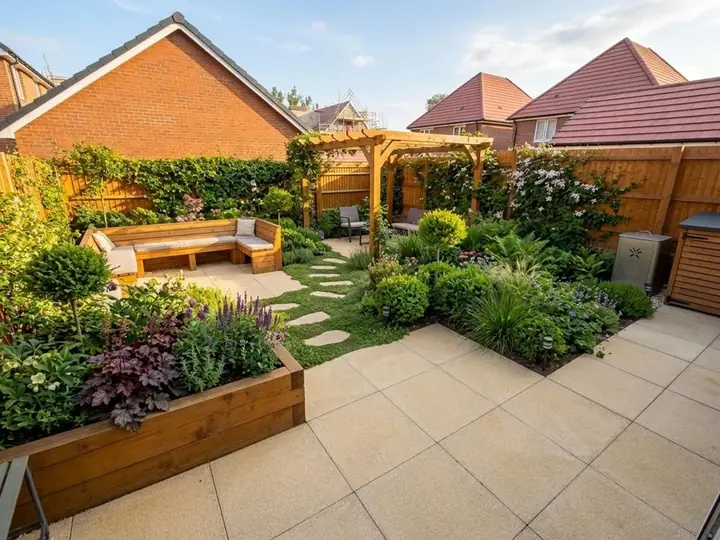
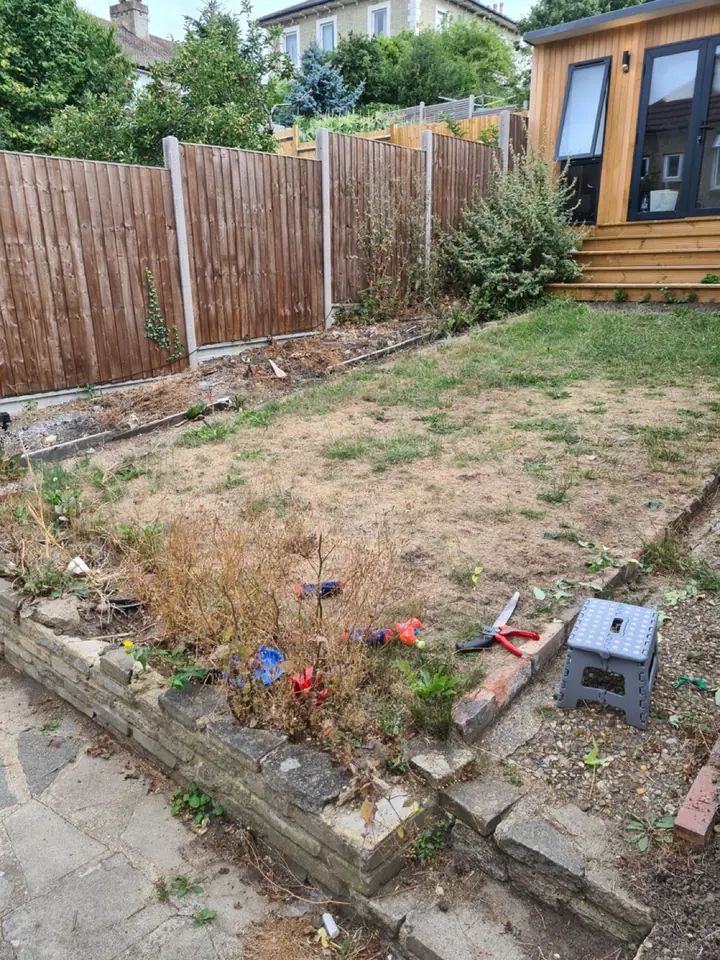
Add a photo of the client's yard from your phone and the app redesigns the whole yard, or a single bed, in about a minute. The house, fences and mature trees stay where they are. Pick one of 15 styles and a color scheme, ask for anything in plain words, like "add a fire pit", and keep the paths and patio or start over. Plants are picked for where the yard is, and every design comes with the Garden Design Pack: its plants, materials and features, in a planting plan and a materials list.
Made for landscaping companies: clean pictures with no watermark; your company's name and logo on the plan and the share link; every plant named, with care notes; change any material while the client watches; a view from above; and the same yard through the four seasons. At sign up, answer "Who are you designing for?" with For a business. Business is $199 a month for 120 credits and 4 designs at once; Studio is $499 a month for 350 credits and 8 at once, and adds your own plant and material lists. A picture uses 1 credit, a view from above 1, the four seasons 3.
Best for: landscapers who sell at the first visit, and designers who want ideas in front of a client at the first meeting before they draw the plan themselves. Show the client their own yard redesigned in about a minute, then price the job your own way or in your business software. More: Garden Design App for landscapers.
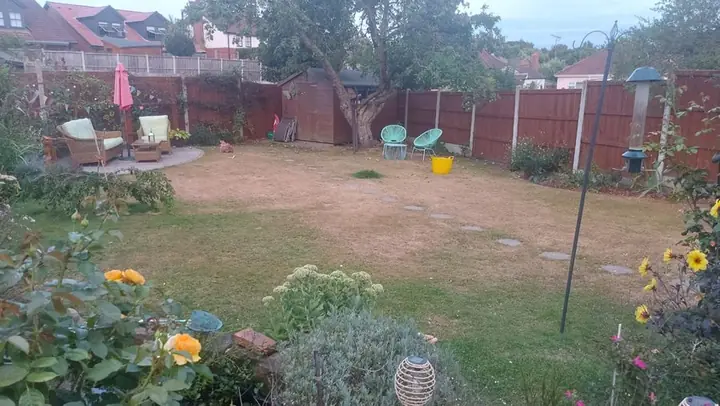 Before
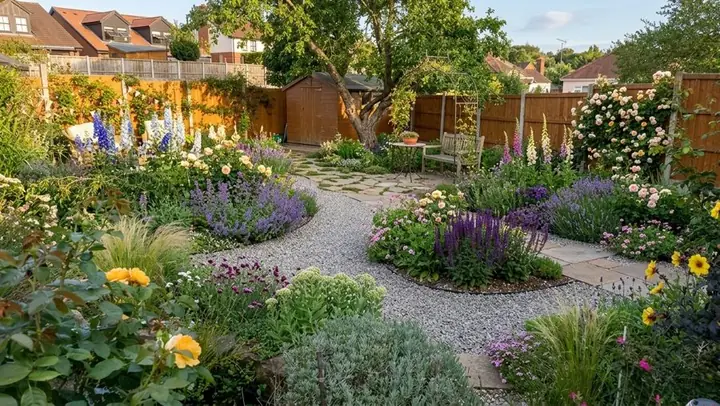 After
Neighborbrite: AI designs from a photo, with estimates on its Landscaper plan
An AI design app with a plan made for landscapers, and the closest to ours on this list. You start with a photo of the property and design live during the consultation, from preset styles, your own inspiration, or by dragging in elements, including plants from live nursery inventory. Its Landscaper plan turns the design into an estimate built from your own suppliers and price lists, and makes plant lists for the project's location, hardiness zone and sun. It runs in the browser and has phone apps.
Prices on its landscapers page: Free ($0, limited design generations), Business $49 a month (unlimited designs and commercial use) and Landscaper $149 a month (its full workflow from design to estimate).
Best for: companies that want the design and the estimate from one app, which ours does not do. Its own 2026 list is fair about AI pictures: results "aren't always perfectly accurate to real-world measurements". That is true of ours too: a design from a photo is a picture to agree on, not a measured plan.
iScape: placing plants and pavers on a photo, on site
One of the best known landscape design apps, with more than 4 million downloads by its own count. Take a photo of the yard and place plants, pavers, furniture and other products on it from a library of thousands, in 2D, or in 3D with augmented reality. It lists every material in the design, and Pro users can make a PDF proposal with pricing and their business details in a few taps.
Prices on its own page: a free version with limited features and a smaller library; Pro $29.99 a month or $299.99 a year, per user license, with a trial; Enterprise for bigger teams on request. Its pricing page lists 2D and 3D design as iOS only, so it suits iPhone and iPad users best, though there is an Android app too.
Best for: companies that want to place exact products on the photo themselves and send a proposal from the same app.
The best landscape design software for professionals who draw to scale
When you build from a measured plan, need drawings for a permit, or sell a full design, you need software that draws to scale. These programs take longer to learn and most run on Windows, but they give you plans, plant schedules, takeoffs and 3D views that a picture from a photo does not.
PRO Landscape+: photo designs, CAD plans and proposals in one
Landscape design software for contractors and designers, from Drafix Software. One program covers photo imaging (designing over a photo of the property), CAD plans, 3D rendering, lighting design, material takeoffs and one click proposals, and new AI tools improve the presentation picture while keeping your design. The free Companion app, included with a subscription, runs on an iPad or Android tablet: draw scaled 2D plans as you measure the site and make a bid with your own prices, from over 19,000 objects.
$90 a month or $900 a year, per user, which covers one computer and the Companion app on one tablet. It is a Windows 10 or 11 program; its page says many Mac users run it through Parallels, and it offers no refunds, so check the system requirements before you buy.
Best for: design and build companies that want design, presentation and the bid in one program, at the desk and on a tablet on site.
Realtime Landscaping Architect: plans and 3D walkthroughs, paid once
From Idea Spectrum. Photo based designs, plan drawings and full 3D walkthroughs for yards, decks, fences and pools, with over 8,000 plants from all climate zones and CAD drawings to scale. $599, paid once, with a free trial and a 30 day money back guarantee; its cheaper Pro ($279) and Plus ($149) are sold to homeowners. Windows 10 or 11 (64 bit) only: no Mac version, and Parallels is not supported.
Best for: companies that would rather pay once than every month and want 3D walkthroughs for bigger jobs.
DynaSCAPE: CAD planting plans with takeoffs
Two design programs. Design is landscape CAD for Windows with a hand drawn look, an online plant database, and plant and material takeoffs: $1,599 a year or $158 a month. Creator runs in the browser on a Mac or PC, with unlimited designs and a free trial, and attaches designs to estimates: $119 a month. A Color add on is $600 a year or $59 a month, and its Manage360 business software is extra.
Best for: designers who draw full planting plans for the build. Creator runs on a Mac without Parallels or Boot Camp, unlike PRO Landscape+, Realtime and Structure Studios.
Structure Studios: 3D outdoor living, hardscapes and pools
Three 3D programs: VizTerra for hardscapes, landscapes and wood decks, Pool Studio for pools, and Vip3D for high end outdoor living. You draw patios, outdoor kitchens, fire pits, pergolas and planting in real time 3D, walk the client through it, and print construction plans to scale with calculations and plant legends.
Per user, a month: VizTerra $97 ($84 billed yearly), Pool Studio $147 ($125) and Vip3D $197 ($167), plus a $95 setup fee, paid once, with a 30 day free trial and no credit card. It runs on a Windows PC; its FAQ says some Mac users run it through Boot Camp.
Best for: hardscape and outdoor living contractors selling patios, kitchens and pools, where a realistic 3D walkthrough closes the job.
SketchUp: 3D models of the whole site
Trimble's general 3D modeling program. It is not made only for landscapes, but you can model grading, walls, pergolas and planting, with premade materials and its 3D Warehouse of models. Go is $10.75 a month billed yearly (iPad and web only); Pro is $33.25 a month billed yearly, with the desktop modeler and LayOut for 2D drawings; Studio ($71.58, Windows only) adds photorealistic pictures. Prices are per user, before tax. SketchUp for Web needs no subscription.
Best for: designers who want to model a yard in 3D themselves and know, or want to learn, a general 3D program.
The best landscaping business software for running the company
Business software runs the company: estimates, scheduling, invoices and getting paid. If you are choosing the best landscaping business software, start with how big you are and how you price jobs. Jobber starts at one user; SynkedUP and LMN are built around budgets, estimates and job costing, so they are the landscaping estimating software to look at first; Aspire is built for the largest companies. Neighborbrite's Landscaper plan, above, also adds estimates to its designs.
Jobber: quotes, scheduling and getting paid
Software for quotes, scheduling, invoices and online payments, with a client hub where clients approve quotes and pay invoices, and iOS and Android apps for the crew. A month, billed yearly: Core from $29 for one user ($49 month to month), Connect from $99, Grow from $149 and Plus from $399, with extra users at $29 each, before sales tax. A 14 day free trial gives full access to the Grow plan, with no credit card. Grow adds quotes with photos and optional line items, handy when you send a design with the price.
Best for: owners and small teams who want one app from the first request to getting paid. It is on every business software list we read, and CompanyCam's own list puts it first.
SynkedUP: estimates built from a budget
Built by contractors for contractors, for landscape installation, hardscaping and design/build companies: budgeting, drag and drop estimating, proposals, scheduling, routing, crew time and job costing. Starter is $199 a month ($179 billed yearly) with an AI estimating agent and your first 50 jobs free; Standard is $399 and Pro $599 ($359 and $539 billed yearly), each with an activation fee of up to $1,000, paid once.
Best for: install and hardscape companies that live or die by accurate estimates.
LMN by Granum: budgeting, estimating and crews
Budgeting, estimating, scheduling, invoicing and payments, with the LMN Crew app for time, notes and photos in the field, even without cell service. Starter is from $297 a month with 1 office and 5 crew licenses, for companies with fewer than 10 employees; Professional is from $648 a month with 3 and 15, adding real time job costing; Enterprise starts at 100 users. Each plan starts with an onboarding fee, paid once.
Best for: companies that want to set prices from a proper budget and see job costs as the crews work.
Aspire: for large landscape companies
Business software built, in its own words, for enterprise level landscape businesses: estimating, job costing, scheduling, purchasing and invoicing, with a mobile app that works offline. It does not publish prices: the price depends on company size and complexity, as one monthly license fee with no limit on users, and payments, payroll and GPS fleet tracking cost extra.
Best for: large companies with several crews and divisions. Tofu suggests it only when you "genuinely have the scale to use them".
Yardbook
Yardbook calls itself landscaping business software, and its Google Play listing was 4th on Google for best apps for landscapers when we looked. Its website refused our request on November 13, so we cannot give its price or features here: see their site.
Field and crew apps
These keep the crew and the office on the same page: job photos, time on site and the schedule. Several business apps above do some of this too, so check what you already pay for first.
CompanyCam: photos of every job
Photo and video records of every job: timestamped photos, before and afters, notes on photos, job reports and live updates for clients, plus proposals, invoicing and payment on site for US companies. Its plan comparison showed, a month billed yearly: Core $63 (1 user, 2 at most), Crew $129 and Scale $199 (3 users each), extra users $29, with a free trial. Best for: proof of every job, and before and after pictures to win the next one.
Workyard: a GPS time clock for crews
A time clock app that records crew hours and mileage with GPS; its Pro plan adds scheduling and project tracking. Plans start at $6 per user a month, billed yearly, with a 14 day free trial. Best for: companies paying several crews by the hour who want time cards they can trust.
Connecteam: a free crew app for small teams
One app for the crew: a GPS time clock, job scheduling, checklists, forms and tasks, plus chat and HR tools. Its Small Business Plan is free for up to 10 users, with nearly every feature (payroll integration is not included), and its Limited plan is free for up to 30 users with fewer features. Paid Operations plans are $29, $49 or $99 a month for the first 30 users, billed yearly, with a 14 day free trial and no card. Best for: small crews who want a free time clock and schedule.
Business app or design app?
You need both, because they do different jobs. Tofu puts it simply in its own list: a business app handles scheduling, invoicing, payments and records; a design app handles the visuals, "showing a homeowner what their yard could look like." The picture wins the yes; the business app turns it into a price and an invoice.
How the two fit together on a real job:
- At the first visit, take a photo of the client's yard on your phone.
- Redesign it with the client there, in a design app, and change materials until they love it.
- Back at the office, price it in your business software and attach the pictures to the estimate.
- Build from the planting plan, or from a scaled drawing for a bigger job, and keep the crew's time and job photos in a field app.
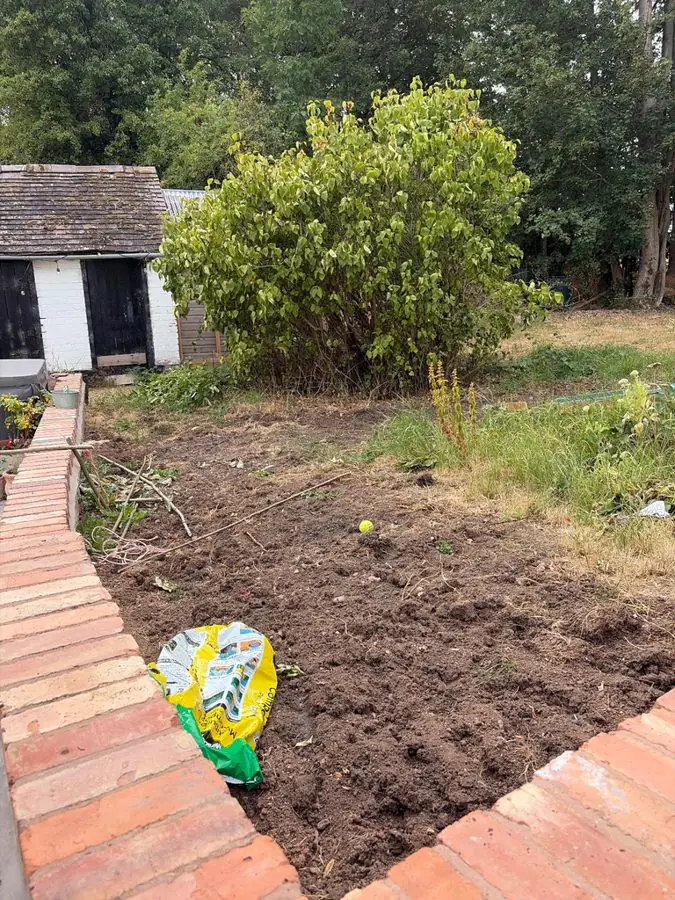 Before
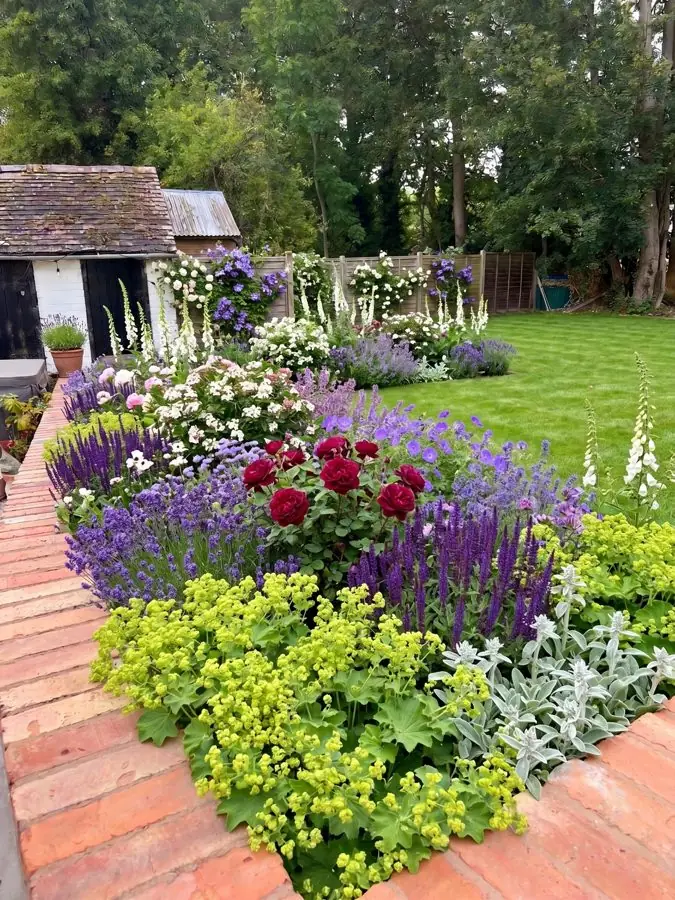 After
Which app should you choose?
Start with the job you are short of, and try your pick on a yard you are bidding on this week: the app that wins you that job is the right one.
- You sell at the first visit and want the client to see their own yard: Garden Design App or Neighborbrite.
- You want the estimate to come straight out of the design: Neighborbrite's Landscaper plan, PRO Landscape+, or iScape Pro's proposals.
- You build from measured drawings or sell full designs: PRO Landscape+, Realtime, DynaSCAPE or SketchUp; for patios, kitchens and pools, Structure Studios.
- You would rather pay once: Realtime Landscaping Architect, at $599.
- You need estimates, scheduling and invoices: the best landscape business software for you depends on size, so Jobber for a small team, SynkedUP or LMN to price from a budget, Aspire for a large company.
- You pay crews by the hour: Workyard or Connecteam. For job photos: CompanyCam.
Why use Garden Design App?
Show a client their yard before you build it.
Your name and logo on the plan
Clean pictures
No watermark.
Every plant named, with care
Change any material
From above views
All four seasons
Questions landscapers ask
What apps do landscapers use?
Usually one of each kind: business software for estimates, scheduling and invoices (Jobber, SynkedUP, LMN or Aspire), a crew app for time and job photos (CompanyCam, Workyard or Connecteam), and a design app to show the client the yard (Garden Design App, Neighborbrite or iScape from a photo; PRO Landscape+, Realtime, DynaSCAPE or Structure Studios for scaled plans and 3D).
What is the best app for landscapers?
The one that does the job you are short of. If clients cannot picture the yard and you lose work at the estimate, the best app for landscapers is a design app that shows them their own yard redesigned. If estimates and invoices eat your evenings, start with business software such as Jobber. Most companies end up with one of each.
What is the best free app for landscaping?
For a crew, Connecteam's Small Business Plan is free for up to 10 users, and its Limited plan, with fewer features, for up to 30. For design, the free versions come with limits: Neighborbrite's free plan, iScape's free version and SketchUp for Web. Jobber, Workyard, CompanyCam and Structure Studios offer free trials rather than free plans.
Is there a free landscape design app for professionals?
Not one with every professional feature. The closest are Neighborbrite's free plan, iScape's free version and SketchUp for Web. PRO Landscape's Companion tablet app is free, but only with a PRO Landscape+ subscription.
Is iScape really free?
The download is free, with limited features and a smaller library of plants, hardscapes and products. The full app is iScape Pro, at $29.99 a month or $299.99 a year per user, with a trial (prices on its own page, November 13, 2026).
What software do landscape designers use?
For scaled plans and planting schedules, landscape CAD such as PRO Landscape+, DynaSCAPE Design and Realtime Landscaping Architect, and 3D programs such as SketchUp and Structure Studios' VizTerra. A quick visual tool at the first meeting, such as Garden Design App, Neighborbrite or iScape, helps you agree on a direction before you draw.
Can AI do landscape design?
AI can now redesign a real yard from one photo: Garden Design App does it in about a minute, Neighborbrite says its designs take minutes, and PRO Landscape+ uses AI to improve its presentation pictures. That gives you a picture to agree on with the client, not a measured plan or a drawing for a permit: for those you still need a designer and software that draws to scale. More in AI landscape design.
Do I need a Windows computer for landscape design software?
For PRO Landscape+, Realtime, Structure Studios and DynaSCAPE Design, yes. On a Mac, DynaSCAPE Creator, SketchUp for Web, Neighborbrite and Garden Design App work in the browser, and iScape's design tools run on iPhone and iPad.
Sources (29)
- Garden Design App, US homepage (one photo, about a minute, 15 styles and a color scheme, keep the paths and patio or start over, plants for the zone, runs in the browser, first 3 designs free for homeowners), read November 13, 2026
- Garden Design App, homepage (made by Josh Hellicar, a professional gardener; phone, tablet or computer in the browser; whole garden or one border), read November 13, 2026
- Garden Design App, Business and Studio plans for landscaping companies, read November 16, 2026
- Neighborbrite, AI landscape design software for landscapers, read November 13, 2026
- Neighborbrite, The best landscape design apps for landscapers in 2026, read November 13, 2026
- iScape, homepage, read November 13, 2026
- iScape, pricing, read November 13, 2026
- PRO Landscape+, homepage, read November 13, 2026
- PRO Landscape+, subscribe, read November 13, 2026
- PRO Landscape Companion app, read November 13, 2026
- Idea Spectrum (Realtime Landscaping), homepage, read November 13, 2026
- Realtime Landscaping Architect, read November 13, 2026
- Realtime Landscaping, FAQ, read November 13, 2026
- DynaSCAPE, pricing, read November 13, 2026
- Structure Studios, pricing and compare, read November 13, 2026
- SketchUp, plans and pricing, read November 13, 2026
- SketchUp for Web, help, read November 13, 2026
- Jobber, pricing, read November 13, 2026
- SynkedUP, plans and pricing, read November 13, 2026
- LMN by Granum, plans and pricing, read November 13, 2026
- Aspire, plans, read November 13, 2026
- Yardbook: its site refused our read (HTTP 403), price and features not read, read November 13, 2026
- CompanyCam, pricing, read November 13, 2026
- Workyard, pricing, read November 13, 2026
- Connecteam, pricing, read November 13, 2026
- Tofu, Best apps for landscapers in 2026, read November 13, 2026
- Workyard, Best landscaping apps for lawn care businesses in 2026, read November 13, 2026
- CompanyCam, 9 best landscaping apps and software in 2026, read November 13, 2026
- Google's first page for best apps for landscapers and related searches (US), read November 13, 2026