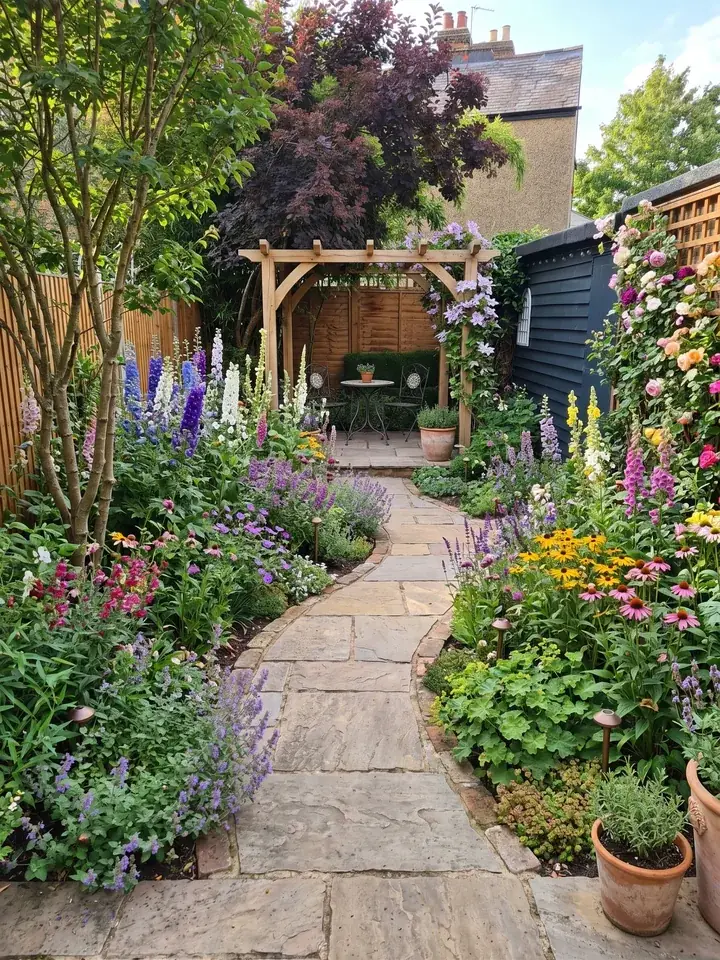
How we chose these apps
Garden Design App is made by Josh Hellicar, a professional gardener, and it is one of the apps on this list. So every entry below says what that app is genuinely good at, gives the price its own website showed on 13 November 2026, and says plainly when another app is the better choice for your firm.
We read each app's own website and price page that day. We have not run every app on a live job ourselves, so where we pass on what someone else says, we name them. Several of these firms price in US dollars, and prices change, so check the pound price on their site before you buy. Shoot's website would not open for us that day, so it is not reviewed here.
What we looked for, in the order it matters to a landscaper or garden designer:
- Does it start from the client's own garden, or from a blank plot?
- Can you use it on site, in front of the client, on a phone or tablet?
- Does it give you something to build or plant from: a planting plan, a plant list, a scaled drawing?
- What does it cost a month, and is there a way to try it?
The best apps for landscapers at a glance
Design apps first, as that is where the list differs most. The business apps for quotes and invoices are compared further down, under Business app or design app?
| App | Best for | Works on | Price on its own site (13 Nov 2026) | Try it |
|---|---|---|---|---|
| Garden Design App (ours) | The client's own garden redesigned from a photo, with a planting plan | Any phone, tablet or computer, in the browser | Business £149 a month; Studio £399 a month | Monthly, cancel any time |
| Neighborbrite | AI designs from a photo, with estimates on its top plan | Browser, and an iPhone app | Business $49 a month; Landscaper $149 a month (US dollars) | Free plan with limited designs |
| iScape | Placing plants and paving on a photo yourself, with PDF proposals | iPhone and iPad (2D and 3D design are iOS only); Android app too | Pro $29.99 a month or $299.99 a year, per user (US dollars) | Free version with limited features; Pro trial |
| PRO Landscape+ | Photo designs, CAD plans, 3D and proposals in one program | Windows 10 or 11, plus a tablet app | $90 a month or $900 a year, per user (US dollars) | See their site; no refunds |
| Realtime Landscaping Architect | 2D plans and 3D walkthroughs, paid once | Windows 10 or 11 only | $599 paid once (US dollars) | Free trial; 30 day money back |
| DynaSCAPE | CAD planting plans with plant and material takeoffs | Design: Windows. Creator: browser, Mac or PC | Creator $119 a month; Design $1,599 a year (US dollars) | Free trial (Creator) |
| SketchUp | 3D models of levels, walls, structures and planting | Go: iPad and web. Pro: desktop | Go $10.75, Pro $33.25 a month, billed yearly (US dollars, before VAT) | See their site |
| Planner 5D | A 2D plan and 3D view of the plot, drawn from scratch | Browser, Windows, macOS, iOS, Android | Premium £59.99 a year; Professional £399.99 a year | Free plan |
| Marshalls' design tools | Marshalls paving on a client's patio or drive | Phone or tablet app; online viewer | Online viewer free | Free viewer |
Design apps that start from a photo of the client's garden
These are the quickest way to win a job. The client sees their own garden, changed, before you have priced it. They give you a picture to agree on, not a construction drawing.
Garden Design App (ours): the client's garden redesigned, with a planting plan
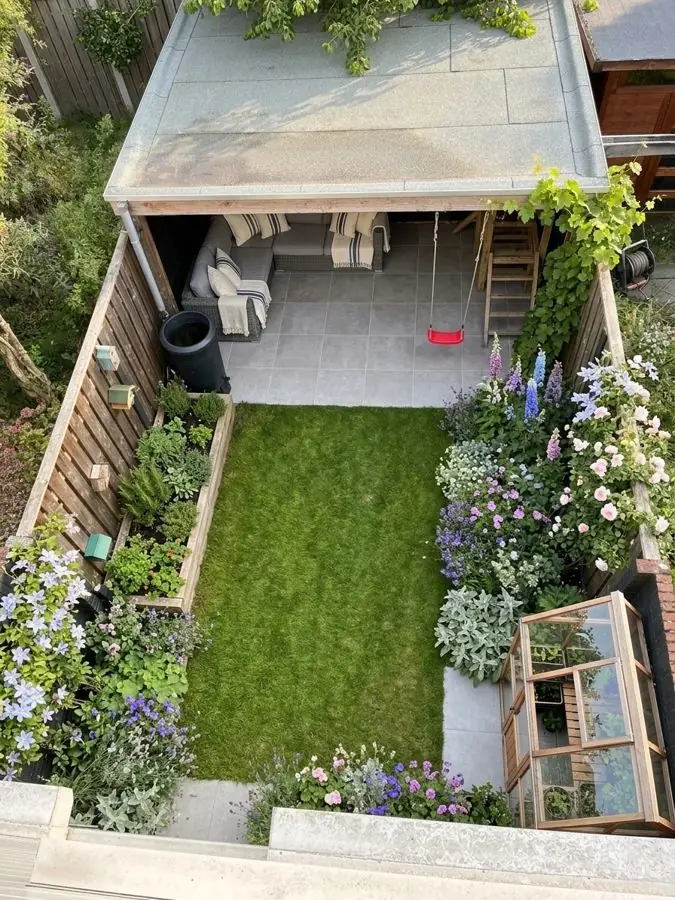
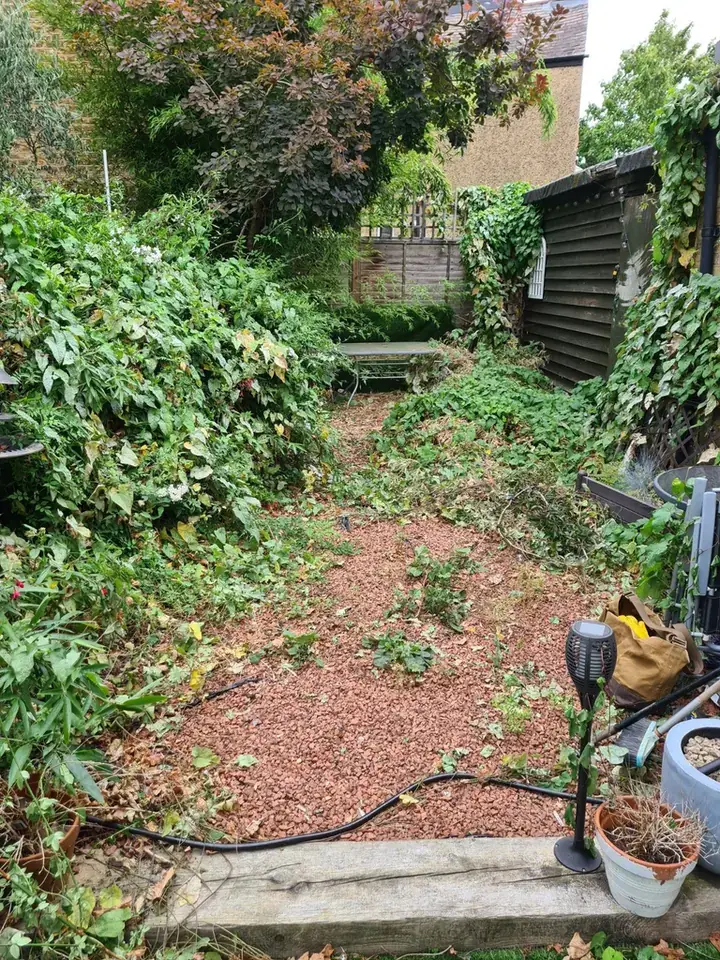
Add a photo of the client's garden from your phone and the app redesigns the whole garden, or one border, in about a minute. The client's trees, fences and house stay, and you choose how much changes: a fresh start with new paths and patio, the patio and paths kept with deeper, curving beds, or just new planting in the beds they have. Plants are picked for where the garden is, in the UK, the US or anywhere else, and every design comes with the Garden Design Pack: its plants, materials and features, in a planting plan and a materials list.
Made for firms: your firm's name and logo on the plan and the share link, and clean pictures with no watermark; change any material in a design while the client watches; a view from above; and the same garden through the four seasons. Business is £149 a month for 120 credits and 4 designs at once; Studio is £399 a month for 350 credits and 8 at once. A garden picture uses 1 credit, a view from above 1 and the other three seasons 3. Prices are in pounds.
Best for: landscapers who sell at the first visit, and garden designers who want ideas in front of a client at the first meeting and then design the garden themselves. It works alongside a designer, never instead of one. Show the client their own garden redesigned in about a minute, then price the job your own way or in a business app.
More: Garden Design App for landscapers and Garden Design App for garden designers.
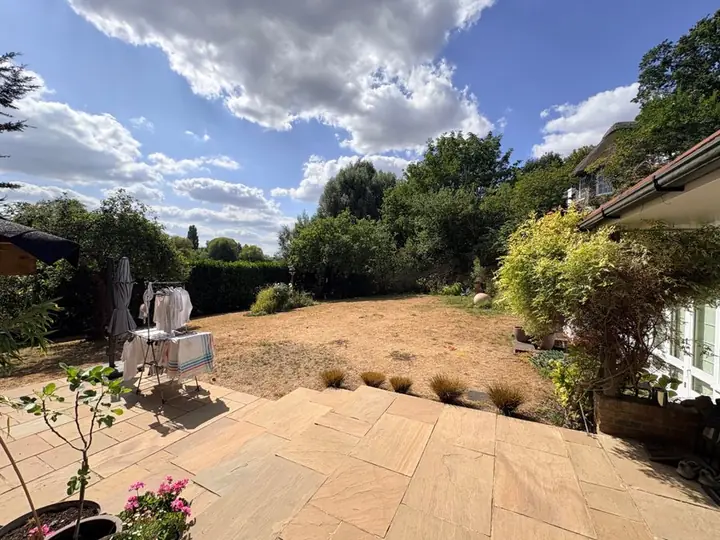 Before
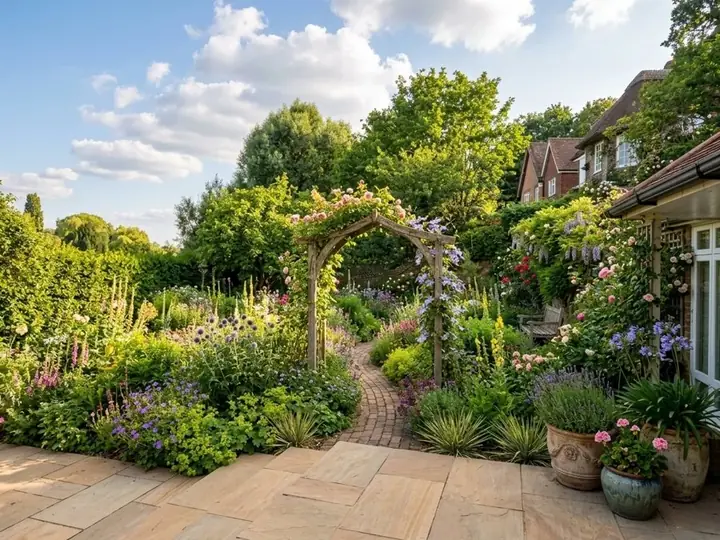 After
Neighborbrite: AI designs from a photo, with estimates on the top plan
An AI design app with a plan made for landscapers. You start with a photo of the property and design live with the client: choose a style, describe what they want, add plants and features from its library, and edit parts of the picture. Its Landscaper plan adds estimates built from your own suppliers and price lists, and plant lists for the project's location, hardiness zone and sun. It runs in the browser, with an iPhone app.
Prices on its landscapers page: Free with limited designs, Business $49 a month (unlimited designs and commercial use), Landscaper $149 a month (the design to estimate workflow). US dollars.
Best for: firms that want the design and the estimate in one place. Its own 2026 list of the best apps for landscapers is fair about the limit: AI results "aren't always perfectly accurate to real-world measurements".
iScape: placing plants and paving on a photo, on site
You take a photo of the client's garden or the job and place plants, paving and other products on it from a library of thousands, in 2D, or in 3D with augmented reality. Pro users can make a PDF proposal with pricing and their business details in a few taps, and see a list of the materials in the design. It says it has nearly 4 million downloads.
Prices on its own page: a free version with limited features and a smaller library; Pro $29.99 a month or $299.99 a year, per user, with a trial; Enterprise for bigger teams on request. US dollars. Its price page lists 2D and 3D design as iOS only, so it suits iPhone and iPad users best.
Best for: firms that want to place exact products on the photo themselves and send a proposal from the same app. You place each item yourself, so you decide exactly what goes where.
Marshalls' design tools: paving on the patio or drive
People search for the Marshalls garden visualiser by name. On 13 November the paving maker's design tools page offered two tools: the Outdoor Reality app, which shows Marshalls paving on a patio or driveway through a phone or tablet and measures the space in square metres, and the Outdoor Product Viewer, a free online tool for trying its paving in different patterns and joints, with augmented reality.
Best for: showing a client Marshalls paving before they order it. They show Marshalls products only, and they are for hard landscaping rather than planting.
The best garden design software for professionals who draw to scale
When you build from a measured plan, or a client is paying for a full design, you need software that draws to scale. These programs take longer to learn and most run on a Windows computer, but they give you plans, plant schedules and 3D views that a picture from a photo does not. Landscape Design Advice's list of the best landscape design software, first on Google in the UK when we looked, is mostly programs of this kind.
PRO Landscape+: photo designs, CAD plans and proposals in one
A program for contractors and designers, from Drafix Software. It covers photo imaging (designing over a photo of the client's property), CAD plans, 3D rendering, lighting design, material takeoffs and one click proposals, and it now has AI tools to improve the presentation picture. A free Companion app runs on an iPad or Android tablet, where you can draw scaled 2D plans and make quotes with your own prices on site, and its library has over 19,000 objects.
$90 a month or $900 a year, per user, US dollars. It is a Windows 10 or 11 program; it says many Mac users run it through Parallels, and it offers no refunds, so check the system requirements before buying.
Best for: design and build firms that want design, presentation and proposals in one program, at the desk and on a tablet on site.
Realtime Landscaping Architect: plans and 3D walkthroughs, paid once
From Idea Spectrum. The 2D plan and the 3D view update together, with over 8,000 plants from all climate zones, plus pools, decks, fencing, irrigation, lighting and walkthrough videos. It imports DWG and DXF drawings and makes a material list you can price.
$599, a licence you pay for once with no monthly fee (its Pro version is $279 and Plus $149), with a free trial and a 30 day money back guarantee. US dollars. Windows 10 or 11 only: there is no Mac version.
Best for: firms that would rather pay once than every month and want 3D walkthroughs for bigger jobs.
DynaSCAPE: CAD planting plans with takeoffs
Two design programs. Design is landscape CAD for Windows with a hand drawn look, a plant database and plant and material takeoffs: $1,599 a year or $158 a month. Creator runs in the browser on a Mac or PC, with cloud storage and a free trial: $119 a month. A Color add on is $600 a year or $59 a month, and its Manage360 business software is extra. All US dollars.
Best for: designers who draw full planting plans for the build, and firms that want design and estimating from one company.
SketchUp: 3D models of gardens and structures
Trimble's general 3D modelling program, and one many garden designers learn: the Society of Garden and Landscape Designers is running a Complete SketchUp for Garden Designers course this November. Go is $10.75 a month billed yearly (iPad and web only); Pro is $33.25 a month billed yearly, with the desktop modeller and LayOut for 2D drawings. US dollars before VAT; its page says payment options vary by region.
Studio, at $71.58 a month billed yearly and for Windows only, adds photorealistic pictures, 360 degree panoramas and animations. Best for: designers who want to model levels, walls, pergolas and planting in 3D. It is a general 3D modelling program rather than one made for gardens, with premade furnishings and materials and its 3D Warehouse library of models.
A planning tool for garden designers
Planner 5D: a plan and a 3D view of the plot
Draw the garden's shape, add lawn, paths, beds, patios and plants from its library, and switch between 2D and 3D. It works in the browser and on Windows, macOS, iOS and Android. Free plan; Premium £59.99 a year; Professional £399.99 a year, with 4K pictures, 360 degree panoramas, CAD export and a branded profile (UK prices on its own page).
Best for: a quick plan of the plot, seen from above, for a client who wants to see the layout. You build the garden from scratch rather than from a photo of it.
Business app or design app?
Most lists of the best apps for landscapers are written by business software firms, such as Tofu, Workyard and CompanyCam, so they lead with landscaping apps for scheduling, quotes and invoices and give design a short section. Both kinds matter. They do different jobs:
- A business app runs the firm: enquiries, quotes, jobs, the diary, invoices and getting paid.
- A design app wins the job: it shows the client what their garden will look like before they say yes.
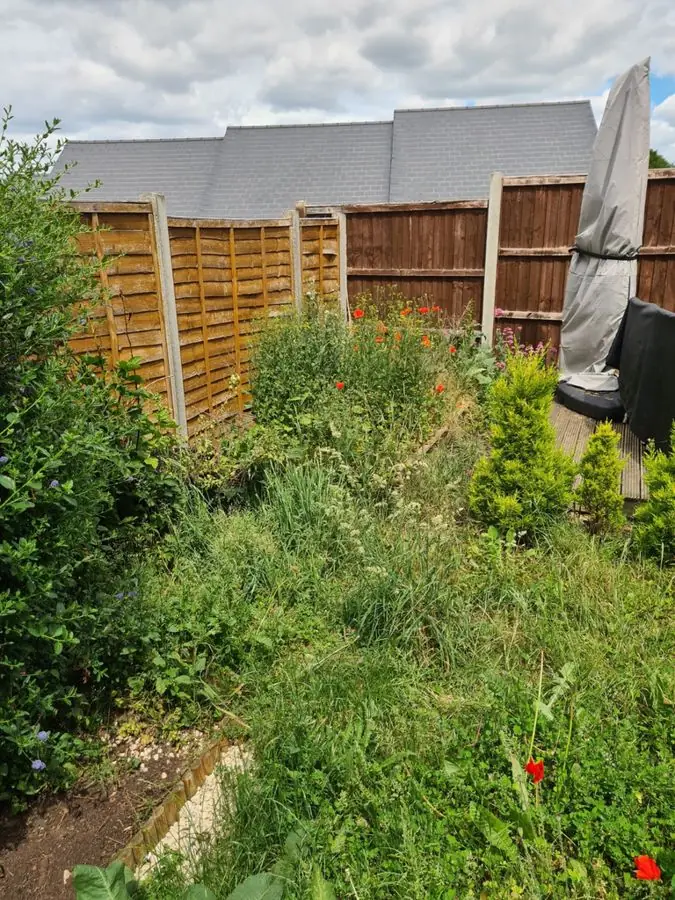 Before
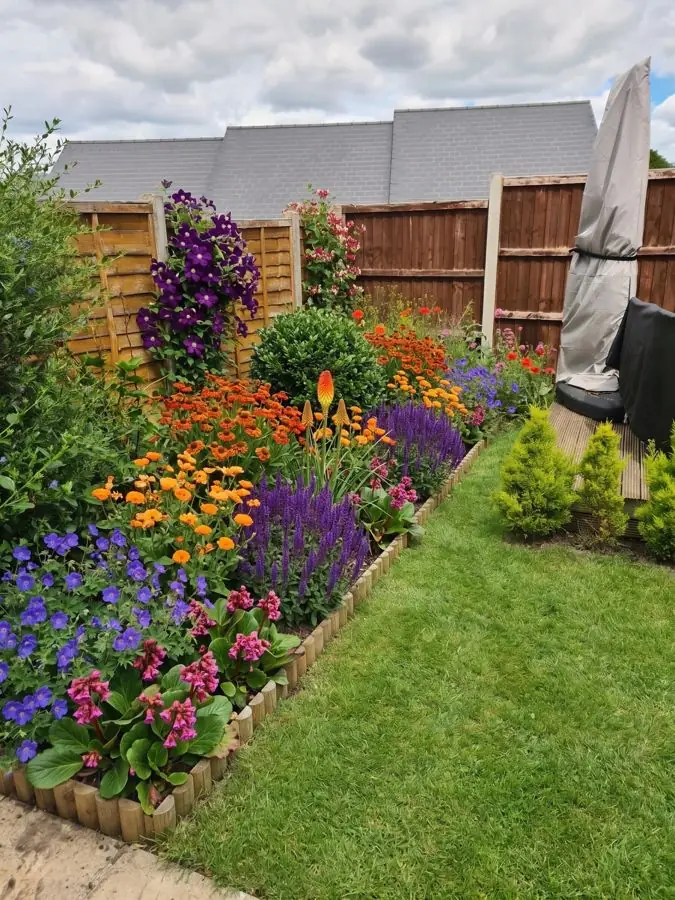 After
Jobnix: UK landscaping quotes from the site survey
Built for UK landscapers. It turns the measured scope, materials, labour, plant hire, waste and exclusions into a quote the client approves online, then follows up and invoices. It has its own patio, fence and artificial grass visualisers for a client's photo, and you can attach design pictures and plans to any quote.
Free: unlimited quotes and invoices and 15 visualiser credits. Pro: £29 a month, with unlimited visualising. A 0.5% fee comes off online payments.
Best for: sole traders and small UK firms who want quotes and invoices without a monthly bill.
Tradify: jobs, quotes and invoices for a growing team
Job management, scheduling with Google Calendar, quotes, invoices, card payments and Xero, Sage and QuickBooks sync. UK prices per user a month: Lite £34, Pro £37 (adds your logo on forms and documents, job photos and files and an enquiry form) and Plus £44, with a 14 day free trial.
Best for: firms with a team to schedule and several jobs on at once.
How the two fit together on a real job
Tofu, a business software firm, puts it well in its own list: one app rarely does both jobs well.
- At the first visit, take a photo of the client's garden on your phone.
- Redesign it with the client there, in a design app, and try other materials and styles until they love it.
- Back at the office, price it in your business app and attach the pictures to the quote.
- Build from the planting plan, or from your own scaled drawing for a bigger job.
Which app should you choose?
Start from the job you are short of, and try your pick on a garden you are quoting this week: the app that wins you that job is the right one.
- You sell at the first visit and want the client to see their own garden: Garden Design App or Neighborbrite.
- You want the estimate to come out of the design: Neighborbrite's Landscaper plan, PRO Landscape+, or iScape Pro's proposal tool.
- You build from measured drawings, or sell full designs: PRO Landscape+, Realtime, DynaSCAPE or SketchUp.
- You mostly lay patios and drives: Marshalls' own tools, or Jobnix's patio visualiser, are free places to start.
- You need quotes, jobs and invoices: Jobnix or Tradify, alongside a design app.
- You work on a Mac: Garden Design App, Neighborbrite, DynaSCAPE Creator and Planner 5D run on one. PRO Landscape+ and Realtime are Windows programs.
Why use Garden Design App?
Show a client their garden before you build it.
Your name and logo on the plan
Clean pictures
No watermark.
Every plant named, with care
Change any material
From above views
All four seasons
Questions landscapers and garden designers ask
What apps do landscapers use?
Usually two kinds. A business app for quotes, jobs and invoices: in the UK, Jobnix and Tradify; the lists by Tofu, Workyard and CompanyCam put Jobber near the top. And a design app to show the client the garden: Garden Design App, Neighborbrite or iScape for pictures from a photo, and PRO Landscape+, Realtime or DynaSCAPE for scaled plans.
What is the best app for landscapers?
The one that does the job you are short of. If you lose work because clients cannot picture the garden, the best app for landscapers is a design app that shows them their own garden redesigned. If quotes and invoices eat your evenings, start with a business app.
What is the best free app for landscaping?
For quotes, Jobnix's free plan includes unlimited quotes and invoices. For design, the free versions come with limits: iScape (limited features), Neighborbrite (limited designs), Planner 5D's free plan, and Marshalls' free paving viewer.
Is iScape really free?
The download is free, with limited features and a smaller plant and product library. The full app is iScape Pro, at $29.99 a month or $299.99 a year per user, with a trial (its own price page, 13 November 2026).
Can ChatGPT design a garden?
It can help with ideas. Upload a photo of the garden or describe it, and it will suggest a layout and plants, look up what those plants need, and make a picture of the changes you ask for. It works from what you tell it about the soil, light and space, so check its plant choices before you plant or show a client. A garden design app made for the job picks plants for where the garden is and gives you a planting plan to work from. The full answer: Can ChatGPT design a garden?
What program do garden designers use?
Many draw the plan and 3D views in CAD or SketchUp (the Society of Garden and Landscape Designers runs a SketchUp course for garden designers), with a plant database for the planting. An AI design app, such as Garden Design App, can sit alongside them to put ideas in front of a client at the first meeting.
Will AI replace garden designers?
No. An AI design app shows a client an idea for their garden in about a minute. It does not survey the site, sort out levels and drainage, or see a build through. Used well, it helps a designer or landscaper get to a yes sooner.
Do I need a Windows computer for landscape design software?
Only for some. PRO Landscape+, Realtime and DynaSCAPE Design are Windows programs; PRO Landscape+ says many Mac users run it through Parallels, while Realtime says it does not support that. Garden Design App, Neighborbrite and DynaSCAPE Creator run in a browser, and iScape on an iPhone or iPad.
Can I put my firm's logo on the designs?
In Garden Design App, yes: the Business and Studio plans put your firm's name and logo on the plan and the share link, and the pictures carry no watermark. iScape Pro's proposals carry your business details, and Tradify Pro puts your logo on its forms and documents.
Sources (27)
- Garden Design App, homepage (how it works, what stays, plants for where you live, browser on any device, who makes it), read 13 November 2026
- Garden Design App, Business and Studio plans for firms (our own), read 12 November 2026
- Neighborbrite, AI landscape design software for landscapers, read 13 November 2026
- Neighborbrite, homepage, read 13 November 2026
- Neighborbrite, The best landscape design apps for landscapers in 2026, read 13 November 2026
- iScape, homepage, read 13 November 2026
- iScape, pricing, read 13 November 2026
- PRO Landscape+, homepage, read 13 November 2026
- PRO Landscape+, subscribe, read 13 November 2026
- PRO Landscape Companion app, read 13 November 2026
- Idea Spectrum (Realtime Landscaping), homepage, read 13 November 2026
- Realtime Landscaping Architect, read 13 November 2026
- Realtime Landscaping, FAQ, read 13 November 2026
- DynaSCAPE, pricing, read 13 November 2026
- SketchUp, plans and pricing, read 13 November 2026
- Society of Garden and Landscape Designers, homepage, read 13 November 2026
- Planner 5D, pricing, read 13 November 2026
- Planner 5D, free garden planner, read 13 November 2026
- Marshalls, garden and driveway design tools, read 13 November 2026
- Shoot (shootgardening.com): would not open for us, price not read, read 13 November 2026
- Jobnix for landscapers, read 13 November 2026
- Jobnix, pricing, read 13 November 2026
- Tradify, UK pricing, read 13 November 2026
- Landscape Design Advice, Best landscape design software for professionals and homeowners, read 13 November 2026
- Tofu, Best apps for landscapers in 2026, read 13 November 2026
- Workyard, Best landscaping apps for lawn care businesses in 2026, read 13 November 2026
- CompanyCam, 9 best landscaping apps and software in 2026, read 13 November 2026