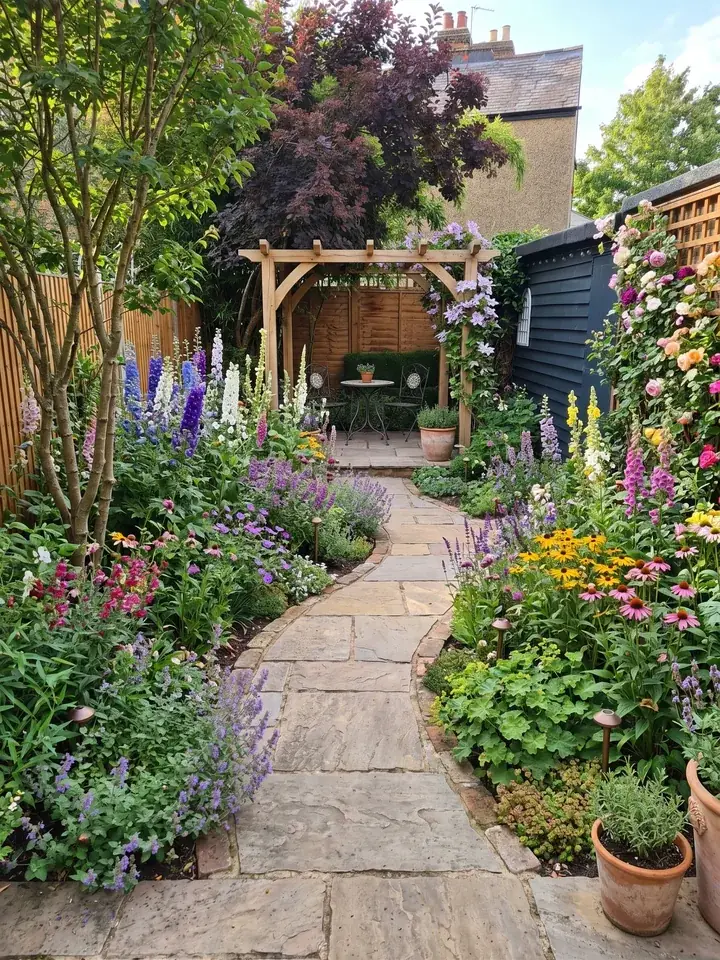
Why the presentation wins or loses the job
iScape's guide for landscape designers (May 2026) puts it plainly: a good design can still lose a client if the presentation is unclear, and most clients cannot fully understand a plan from a flat drawing alone. A scale drawing that makes perfect sense to you is lines and symbols to someone who has never built a garden, and a confused client rarely says yes.
So working out how to present a garden design to a client is really working out how to turn your thinking into something they can see, trust and agree to. That work starts long before the meeting, at the first visit.
Before you present: the brief and the survey
A garden design presentation is only as strong as the brief behind it. The Association of Professional Landscapers (APL) describes the first consultation as normally on site, taking a couple of hours and charged at an agreed price. It is where you find out how the client hopes to use the space, how much upkeep they can manage, the styles they like and, just as important, the ones they don't.
The survey matters as much. APL's guide says that without exact measurements a designer cannot draw a plan detailed enough for a landscaper to quote from. The survey covers slopes and angles as well as length and width, where the doors, gates, downpipes, manhole covers and utilities are, and where the garden is seen from: the kitchen window, the patio doors and the neighbours' windows.
Bring these back to the meeting:
- The brief in the client's own words, sent back to them in writing beforehand so you both agree what you are designing for
- What the survey found: sun and shade through the day, soil, drainage, levels and the views in and out
- What they must have, what would be nice and the things they never want to see again
- A budget range you have both said out loud
What to show a client
The RHS gives homeowners simple advice from the other side of the table: consider hiring a designer, but give them a precise brief. A client who took that advice will want to see how your design meets it, so pick the pieces that suit the stage and the size of the job. A small planting scheme does not need construction drawings; a new terrace on a slope does.
| What to show | What it does for the client | When it earns its place |
|---|---|---|
| The brief, read back | Proves you listened before you designed | Every meeting, in the first five minutes |
| Their own garden redesigned | Lets someone who can't read a plan see the idea in their own space | The first meeting and the concept stage |
| A mood board | Sets the feel: colours, materials, plants and gardens they liked | Early, before details are fixed |
| A concept plan | Shows the layout: how features sit together and how you move around (APL) | Once the brief and survey are agreed |
| A planting plan with plant pictures | Shows what grows where and how it looks through the year | The concept or detailed stage |
| Material samples | Lets them touch and compare paving, gravel, timber and edging | Before the master plan is fixed |
| A scaled master plan and construction drawings | What the landscaper prices and builds from (APL) | Where the job needs it: levels, walls, decks, lighting |
| Photos of your finished gardens | Proof you have built this kind of garden before | The first meeting |
Keep layout and looks in the right order
APL's guide makes a useful split. The garden design concept plan is about layout, so leave colours, textures and materials out of it until the client has agreed where everything goes. The master plan comes after that, and it is what the landscaper uses to work out the cost of the build.
Pictures of the garden redesigned do a different job from a concept plan. They show the feel of the place and get the client excited, so say clearly that they are ideas to react to, and that the plan is where the layout is fixed.
Show the client their own garden, not someone else's
Mood boards of other people's gardens help, but the client still has to imagine it at home. Pictures of their own garden redesigned close that gap: the same fence, the same back door, the same awkward corner, with the new design in it.
You can make these by hand in design software, or have Garden Design App redesign the garden from a photo in about a minute and talk through a few ideas at the first meeting. Either way, present each picture as an idea to react to, and where the plants are shown fully grown, say so. The measured plan is still yours to draw, and it is what the job is priced and built from.
Pictures like these get a client talking about what they like early, and the thinking, the final planting and the drawings stay yours.
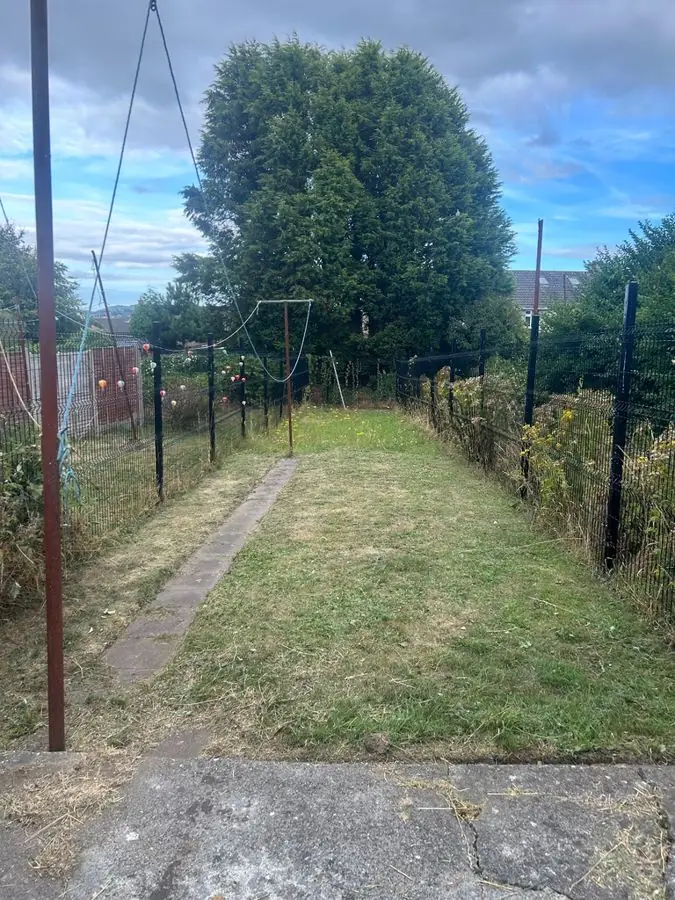 Before
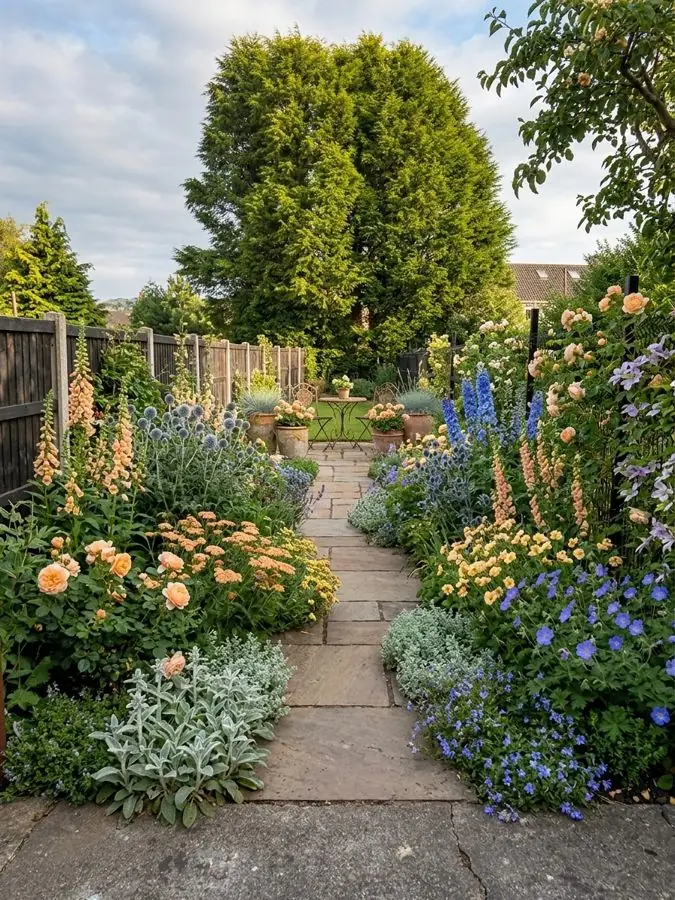 After
How to run the meeting: an order that works
Clients relax when they can see where a meeting is going. Tell them the order at the start, then keep to it.
- Read back the brief: 'You wanted somewhere to eat outside, less lawn to mow and more privacy from next door.'
- Show the garden as it is today and what the survey found: where the sun falls, the wet corner, the slope.
- Show the idea, big picture first: their garden redesigned, or the concept plan.
- Walk it in the order they will use it: out of the back door, onto the terrace, down the path, past the borders to the end of the garden.
- Explain each choice by the problem it solves.
- Show the planting, and say plainly how much looking after it needs.
- Pass round the material samples.
- Talk through cost, and phases if the budget needs them.
- Agree the next step before you leave.
The same order for a landscape design presentation
iScape suggests much the same running order: the client's goals first, then the existing problems, the main idea, each area in turn, materials and upkeep, and finally timeline, budget and next steps. If you are a landscaper working out how to present a landscape design to a client, the same order works, whether the client is a homeowner or a business. A landscape design presentation to a business may simply spend longer on durability and upkeep.
Explain every choice in plain words
A client judges a design by how it looks first. Your job is to show it works as well. Give each big decision a reason in one sentence, tied to something they told you:
- 'The terrace sits at the end of the garden because that is where the evening sun is.'
- 'The path curves so you don't see the whole garden at once from the house.'
- 'The hedge along this side screens you from next door's windows.'
- 'Gravel here rather than paving, because water sits in this corner after rain.'
- 'These shrubs are evergreen, so the garden still has shape in January.'
Leave the jargon in the studio
Leave the jargon in the studio. 'Permeable paving' means little to most people; 'rain drains through it, so you won't get puddles' means a lot.
Show two or three options, not ten
Too many choices slow a decision down. If you offer options, keep them to two or three and make the difference clear: one that meets the budget, one that adds the thing they wanted most, and perhaps one that does everything.
On Garden Design App you can change any material on a design, such as the paving or the gravel, and it makes a changed copy, so the client can compare the two side by side.
Talk about cost and upkeep before they ask
iScape's guide calls budget often the most sensitive part of a presentation, so raise it yourself. Give a range, say what drives it (groundwork, walls, paving, the size of the plants) and, if the budget is tight, offer to build in phases rather than shrink the whole design. iScape gives an example in three phases: groundwork, drainage and the main hard landscaping first; the planting second; lighting and finishing touches last.
Be just as clear about upkeep. Low maintenance does not mean no maintenance, as iScape's guide puts it: new plants need regular watering until their roots establish. A client who knows that in advance is still a happy client two years later.
What you charge for the design itself is a separate question: our page on what a garden designer costs covers fees.
What to leave behind
Never end a garden design presentation with 'let us know what you think'. iScape calls that ending passive, and it lets the decision drift. Agree one clear next step in the room, then send a short summary within a day or two:
- The design they chose, and the decisions still open
- The pictures and the plan they saw, so they can show anyone else who has a say
- The key materials and the plant list, with care notes
- A rough timeline and the budget range
- The next step, with a date
Your firm's name on what they forward
On Garden Design App your firm's name and logo go on the plan and on the share link, so what the client forwards carries your name. Every design comes with the Garden Design Pack: the plants, materials and features in one place.
Mistakes that lose garden design jobs
- Opening with the drawing instead of the client's problem
- A plan only a designer can read, with nothing that shows how the garden will look
- Styling details at the concept stage, so the client argues about paving colour before the layout is agreed
- Too many options
- Jargon
- Dodging the price, or a figure that jumps between the meeting and the quote
- Overselling: showing plants fully grown without saying they take a few seasons to fill in
- Ending with 'let us know what you think', then never following up
Follow up, then follow up once more
Ring a few days after the summary goes out, while the meeting is still fresh. If they want changes, agree what will change and when they will see it. If they have gone quiet, one friendly call or message a week or so later is fair; after that, leave the door open and move on.
The same habits win the build as well as the design. A client who saw their own garden redesigned, understood the plan and knew the next step is far easier to turn into a job than one who was handed a drawing and left to work it out.
Why use Garden Design App?
Show a client their garden before you build it.
Your name and logo on the plan
Clean pictures
No watermark.
Every plant named, with care
Change any material
From above views
All four seasons
Questions designers and landscapers ask about presenting a design
What should a garden design presentation include?
The brief read back to the client, what the survey found, the idea in a form they can read (their own garden redesigned or a concept plan), the planting, material samples, a cost range and the next step. Add a scaled master plan and construction drawings where the job needs them.
How do you show a garden design to a client who can't read plans?
Show it in pictures first: their own garden redesigned, plant photos and photos of gardens you have built. Then walk the plan with them in the order they will use the garden, explaining each choice by the problem it solves.
How many design options should you give a client?
Two or three at most, with the difference between them made clear: one that meets the budget, one that adds what they wanted most, and perhaps one that does everything. More than that slows the decision.
Should you talk about price at the presentation?
Yes. Give a range, say what drives it and offer phases if the budget is tight. A client who hears the cost from you, with reasons, trusts the design more than one who meets the figure later in a quote.
Do garden designers charge for the first consultation?
Many do. APL says a consultation normally takes a couple of hours and is charged at an agreed price. Separately, it describes an initial payment for the design, with the balance when the design is finished and agreed, and says visualising a garden design and creating a scale drawing can take upwards of 20 hours. For typical fees, see what a garden designer costs.
Can I use AI pictures in a client presentation?
Yes, as ideas to react to, and say what they are. Garden Design App redesigns the client's garden from a photo in about a minute, with clean pictures and your firm's name and logo on the plan and the share link. The measured plan and drawings are still yours to make.
Sources (5)
- iScape, 8 Client Presentation Tips for Landscape Designers and Contractors (5 May 2026), read 13 November 2026
- Association of Professional Landscapers (APL), The Garden Design Process, read 13 November 2026
- RHS, Garden design: sources of information, read 13 November 2026
- Garden Design App, homepage, read 13 November 2026
- Garden Design App: plans for firms (the Business side of the prices on our homepage), read 16 November 2026