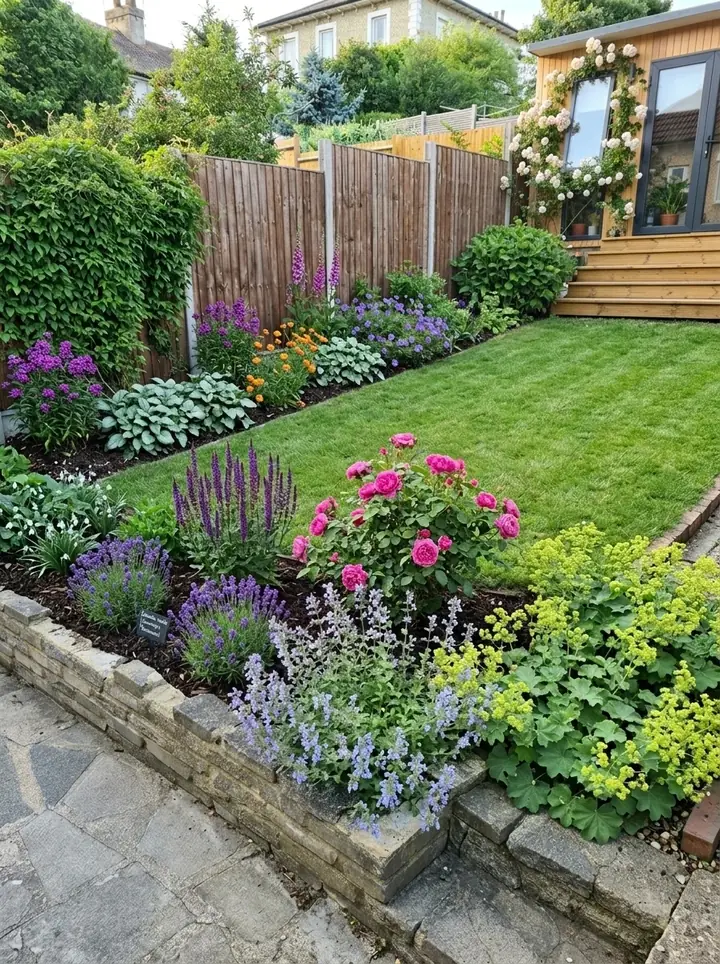
Is Neighborbrite free? Neighborbrite pricing, plan by plan
Neighborbrite answers this on its own homepage. Its FAQ says: "Yes, Neighborbrite is free to use. For more control and customization, you can upgrade to the pro version." A second answer adds that customizing elements like plant types and placements "requires upgrading to the pro version." So the free start is real, and the deeper editing is paid.
Its toolbox shows where the line falls. Describe your dream yard, magic edit, add elements, erase elements and identify plants are all marked Pro. High resolution and auto enhance are marked Business. Choose a style, the guided start from a ready made look, carries no plan label.
The only prices we found are on its page for landscapers, read November 13, 2026:
- Free: $0 a month, limited design generations.
- Business: $49 a month, unlimited designs and commercial use.
- Landscaper: $149 a month, the full workflow from design to estimate.
What we could not find
The price of the homeowner Pro upgrade was not shown on any of the four Neighborbrite pages we read, so we have not guessed it. Check the upgrade screen inside the app before you pay.
Neighborbrite reviews: what its own pages show
Neighborbrite's homepage shows a score of 4.8 out of 5 from 567 ratings for the Neighborbrite app on iOS, on the App Store across all countries and regions, marked as verified October 29, 2026. The same page counts more than 850,000 registered users in over 170 countries.
The testimonials it chose to show praise ease and speed. One user found it "really easy and eye-opening to see the potential at no cost." Its landscaper testimonials say clients understand the design sooner and approve faster.
Neighborbrite is also candid about its limits. Its own April 2026 blog post on apps for landscapers lists two cons for itself: AI results "can vary and aren't always perfectly accurate to real-world measurements," and it is "focused on quick concepts rather than full professional design workflows." Its service page says AI designs are "visual concepts, not measured construction documents, engineering plans, or permit-ready drawings."
One change to know about: Neighborbrite used to sell professional design packages, with a design call, a scaled 2D plan and a plant list. Its Professional Designs page now says the service is no longer available to new buyers, although its homepage FAQ still mentions it. We did not read independent review sites for this page, so read those as well before you decide.
What Neighborbrite does well
Neighborbrite is a strong tool, and for some jobs it is the better pick. Here is what Neighborbrite AI landscape design gives you, from its own pages:
- A free start on the web with no app to install, plus apps on the App Store and Google Play.
- Editing by hand: magic edit any area of a picture, erase an object by circling it, or add from more than 5,000 plants, plus pergolas, fire pits, fencing and water features (Pro).
- Guided plans that cover style, plants and layout, from a ready made look or your own description.
- Identify plants: select plants in a picture and get their names (Pro).
- Plant options matched to your design by color, texture, size and local climate, its FAQ says.
- A site in five languages: English, Spanish, German, French and Italian.
- For landscapers: design live in front of a client, then turn the design into an estimate using your own suppliers and price lists, with plants from live nursery inventory (Landscaper plan).
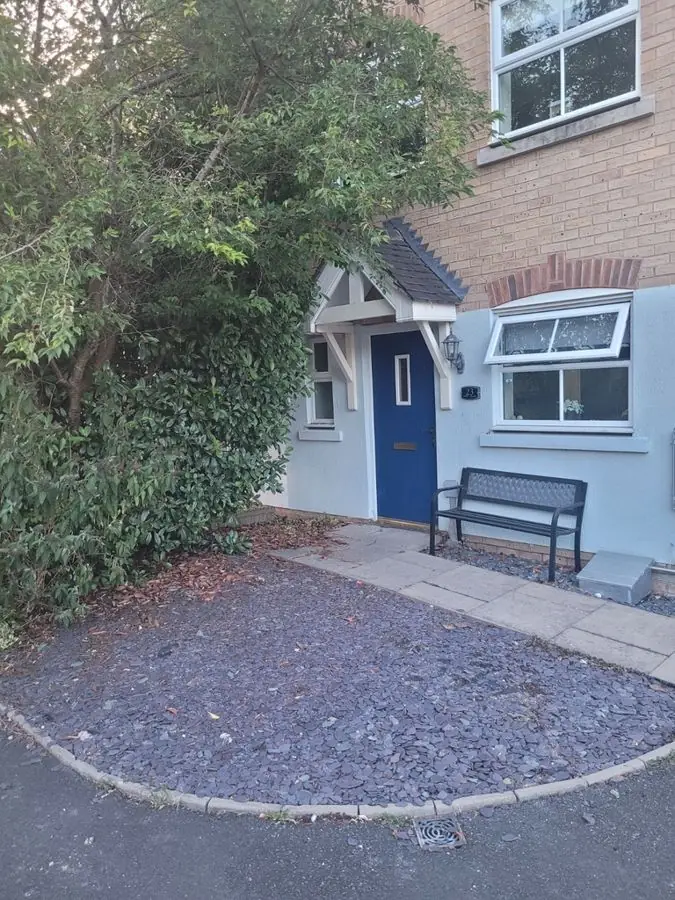 Before
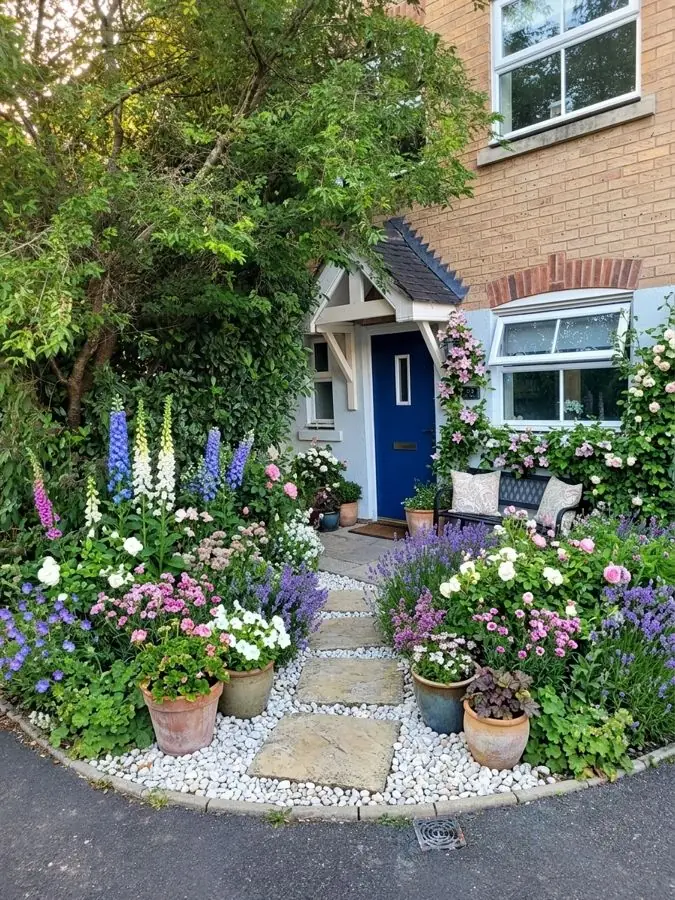 After
What Garden Design App does differently
If you are looking for a Neighborbrite alternative, here is what ours is built around. Add one photo of your yard and see it redesigned in about a minute, with your house, fence and mature trees where they are and a gardener's rules deciding what goes where. Pick one of 15 styles and a color scheme, then ask for anything you want, like "add a fire pit" or "more shade".
The plants come from where you live. Your ZIP code gives us your USDA zone, and we pick from more than 1,400 plants for your winters, your summer heat, your light and your soil.
Pro or Max plans turn the picture into a yard you can plant. The Pro plan is $39 for 20 designs over 14 days, and the Max plan is $65 for 50 designs over 30 days, one payment with no subscription. With every design on Pro or Max plans you get:
- Every plant named, ready to buy, with the pot size and how tall it grows.
- A care guide for every plant and a flowering calendar.
- The materials, gravel to fence, on whole yard designs.
- Higher quality pictures with no watermark.
- Changes to any design in your own words.
Taking it to the build
Garden Design App gives you the design and every plant to buy. Retaining walls, drainage, grading and irrigation belong with a licensed contractor, and your HOA or city may need to approve changes, so take your design to whoever builds it. More on how it works: AI landscape design.
Neighborbrite vs Garden Design App, side by side
This puts Neighborbrite landscape design and Garden Design App side by side. Neighborbrite facts are from its own pages, read November 13, 2026. Ours are from our live site the same evening, and our US prices for firms from the live site on November 17, 2026.
| Neighborbrite | Garden Design App | |
|---|---|---|
| Starts from | A photo of your yard | One photo of your yard |
| Shaping the design | Pick a style. Pro: describe your yard, magic edit, add from 5,000+ plants and features, erase objects | 15 styles and a color scheme, changes in your own words, keep your paths and patio or start over |
| Plants | Options matched to color, texture, size and local climate (its FAQ). Identify plants is Pro | Picked for your USDA zone, summer heat, light and soil from 1,400+ plants |
| Free start | Free to use, upgrade for more control | First 3 designs free, no card (watermarked, lower quality) |
| Homeowner price | Pro upgrade; price not shown on the pages we read | Pro plan $39 or Max plan $65, one payment, no subscription |
| Plant lists | A guided plan of style, plants and layout; the Landscaper plan adds plant list tools | With Pro or Max plans: every plant named, pot size, height, care guide, flowering calendar |
| Landscaper plans | Free $0, Business $49, Landscaper $149 a month | Business $199 and Studio $499, monthly |
| Estimates | Yes, on the Landscaper plan, from your own suppliers and price lists | You price jobs your own way |
| Where it runs | Web, plus apps on the App Store and Google Play | In the browser on a phone or computer, nothing to download |
| Construction drawings | No: its designs are visual concepts | A design and a planting plan to take to whoever builds it |
For landscapers: Neighborbrite's plans and ours
Neighborbrite's landscaper pitch is built around the first consult: upload a photo of the property, design live with the client, and agree on the scope before you price it. Its Landscaper plan, $149 a month, adds plant list, estimating and client workflow tools that work with your own inventory, suppliers and pricing. If estimating inside your design tool matters most, Neighborbrite is the better pick.
Our plans for landscapers do a narrower job: show a client their own yard redesigned at the first meeting, then leave them a plan worth signing. Business is $199 a month for 120 credits, and Studio is $499 a month for 350 credits. Each design uses a credit, a view from above one more, and all four seasons three. On both plans:
- Your firm's name and logo on the plan and on the share link you send the client.
- Clean pictures, with no watermark.
- Every plant named, with how to care for it.
- Change any material, and see views from above and in all four seasons.
- Studio only: your own plant and material lists.
Where each one wins
Neighborbrite has a free tier for firms and builds estimates from your own price lists. What we add is the client's own yard redesigned, every plant named with how to care for it, and your name on the plan, from one photo of their yard.
Which should you pick?
Both have a free start, so the fairest test is to try each on the same photo of your yard. As a rough guide:
- Pick Neighborbrite if you want to place and erase things in the picture yourself, want an iPhone app, need the site in Spanish, German, French or Italian, or run a landscaping firm that wants estimates from its own price lists.
- Pick Garden Design App if you want your own yard redesigned in about a minute without editing by hand, plants picked for your ZIP code, a planting plan with care and flowering times, and a single payment of $39 for the Pro plan or $65 for the Max plan.
- Pick Garden Design App for a firm if you want clients to leave the first meeting with their own yard redesigned and a plan carrying your logo, and you price jobs your own way.
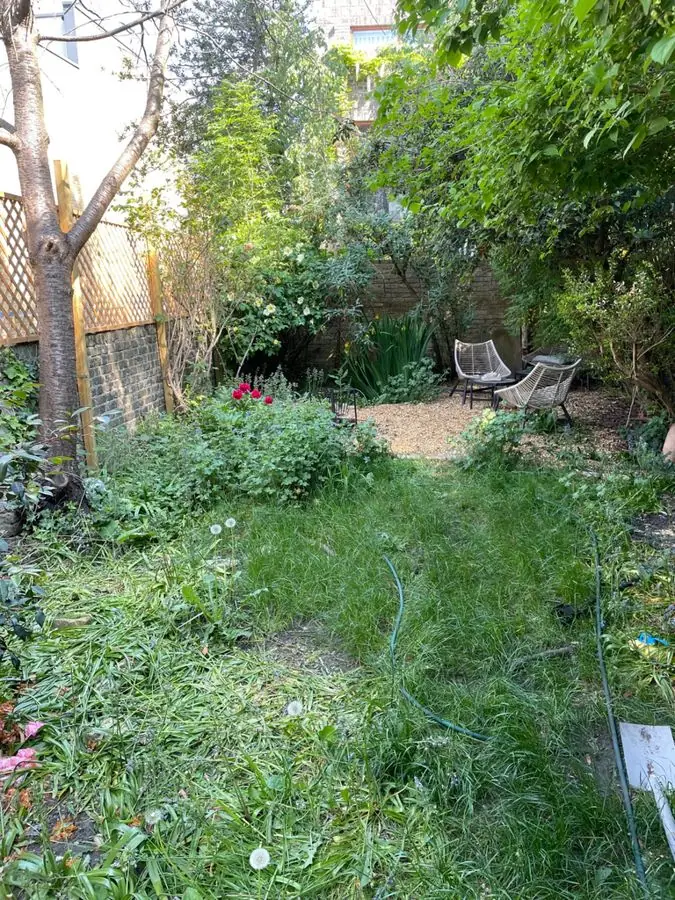 Before
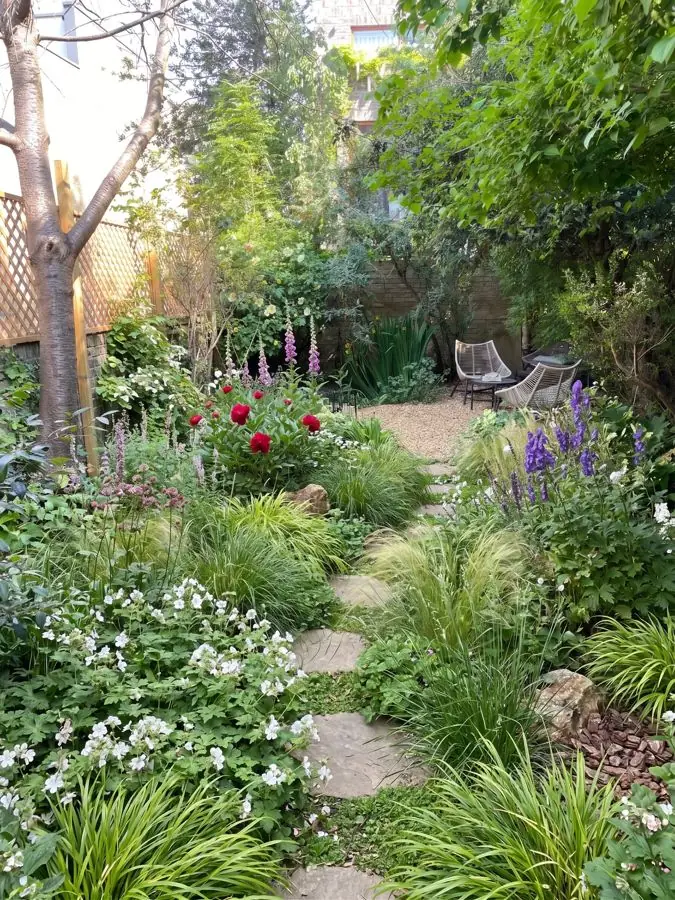 After
Why use Garden Design App?
You do not need to know plant names or draw to scale.
Your own yard, from one photo
One photo from your phone is all it takes. Your real yard, planted, in about a minute.
Ask for anything you want
Pick one of 15 styles and a color scheme, then ask for anything you want, like “add a fire pit” or “more shade”.
Keep what works
Keep your paths and patio, or start over with a new layout.
A designer’s structure
Height, color and balance arranged the way a professional would.
Plants for your zone
Your ZIP code gives us your USDA zone, so the plants we pick can live through your winters.
Nothing to download
This online landscape design runs in your browser with nothing to download.
Questions about Neighborbrite
Is Neighborbrite really free?
Yes, to start. Its FAQ says it is free to use, and its Free plan for landscapers is $0 a month with limited design generations. Tools such as magic edit, add elements and identify plants are marked Pro.
How much does Neighborbrite cost?
For landscapers, Neighborbrite lists Free at $0 a month, Business at $49 a month for unlimited designs and commercial use, and Landscaper at $149 a month for the full workflow from design to estimate (read November 13, 2026). The homeowner Pro price was not shown on the pages we read.
Are Neighborbrite reviews good?
Its homepage shows 4.8 out of 5 from 567 App Store ratings for its iOS app, marked verified October 29, 2026. Its own blog notes that AI results "aren't always perfectly accurate to real-world measurements." We did not read independent review sites.
Can I build from a Neighborbrite design?
Not as a construction plan. Neighborbrite's own service page says AI designs are "visual concepts, not measured construction documents" or permit drawings.
Does Neighborbrite still offer professional designs?
Not to new buyers. Its Professional Designs page, read November 13, 2026, says the packages can no longer be bought and that active projects are still supported.
What is the best AI program for landscape design?
It depends on the job. Neighborbrite suits editing the picture by hand, and estimates from your own price lists on its Landscaper plan. Garden Design App suits seeing your own yard redesigned in about a minute, with plants picked for your ZIP code and, with the Pro or Max plans, every plant named. Both have a free start, so try each on the same photo of your yard.
Is there a free program for landscape design?
Several have a free start, Neighborbrite and Garden Design App among them. Ours gives you 3 designs free with no card. Our landscape design software page compares the kinds of tools.
Sources (8)
- Neighborbrite homepage (FAQ, toolbox labels, App Store rating it shows, testimonials), read November 13, 2026
- Neighborbrite for landscapers (pricing and FAQ), read November 13, 2026
- Neighborbrite Professional Designs service update, read November 13, 2026
- Neighborbrite blog, The Best Landscape Design Apps for Landscapers in 2026 (April 8, 2026), read November 13, 2026
- Garden Design App, US homepage, read November 13, 2026
- Garden Design App Business and Studio plans, read November 13, 2026
- Garden Design App, US prices for firms (the live US site's dollar prices), read November 17, 2026
- Google US page one for "neighborbrite reviews" (its App Store and Google Play listings), read November 16, 2026